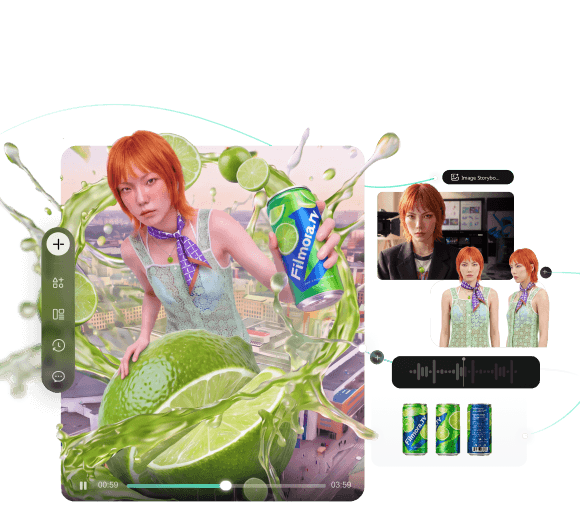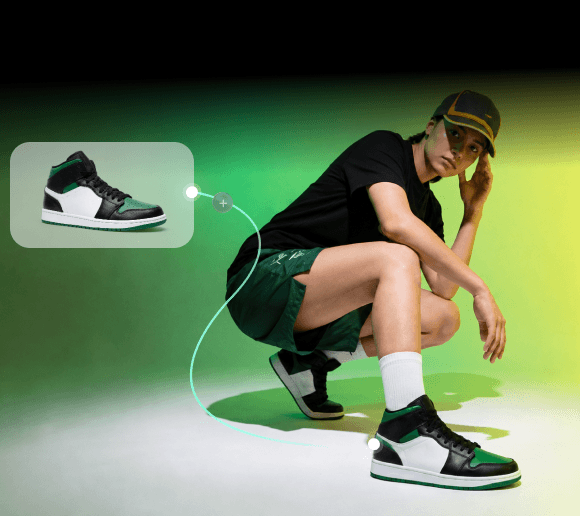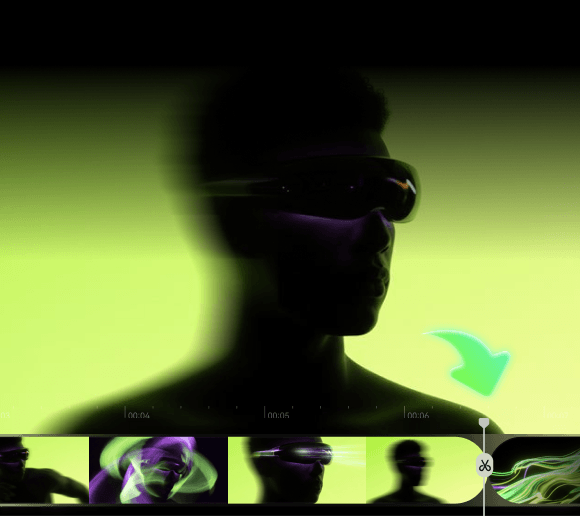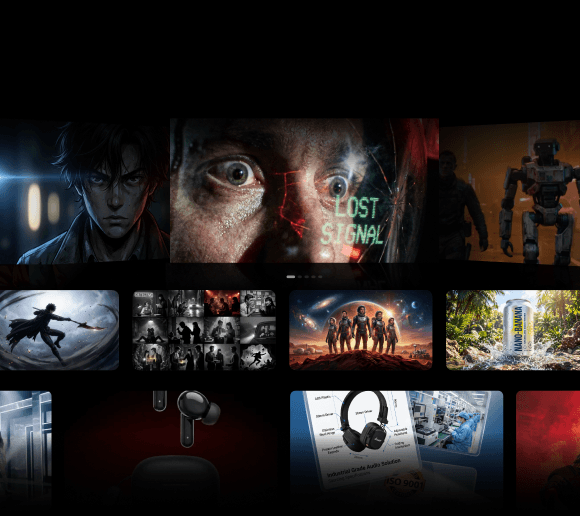
Anyone who's tried generating a video with AI knows the struggle of character consistency. It might be a small detail, yet it can make the whole scene feel fake. However, as AI models keep advancing, character consistency is no longer a problem that’s impossible to manage.
For those who have been struggling to manage a consistent character across multiple AI-generated scenes, we'll share tips to help you keep your characters looking like themselves from start to finish.
The Importance of Character Consistency
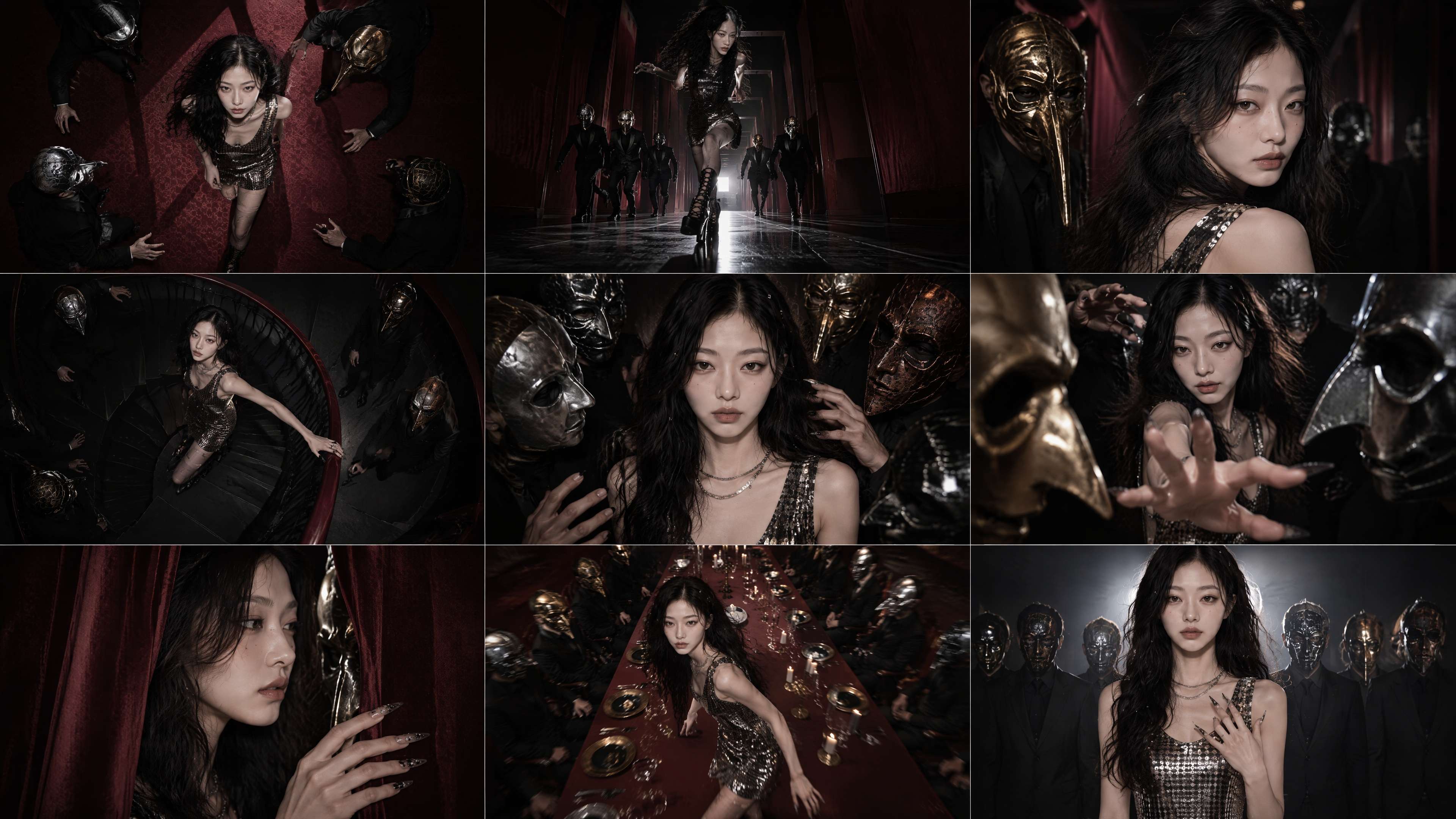
AI character consistency refers to keeping the same character's facial features, body proportions, clothing, and visual style recognizable across multiple AI-generated shots. To maintain character consistency, creators can use detailed character sheets, reusable reference images, and consistent generation settings. Reviewing adjacent shots before final editing also helps identify visual differences that could disrupt the story.
Why Character Consistency Matters
- Keeps the story believable. Viewers notice when a character's face subtly shifts between cuts, and it pulls them right out of the story.
- Makes multi-scene projects possible. Ads, short films, and episodic content all depend on the same character showing up recognizably in every scene.
- Builds trust with your audience. For branded content especially, an inconsistent mascot or spokesperson looks unpolished and can undercut the message.
- Saves time in post-production. Fewer mismatched frames means less manual touch-up work down the line.
But why is it hard to keep character consistency in AI videos? Most of the difficulty is because AI generates each frame or image based on patterns it’s learned, not by actually remembering what a character looked like a few seconds earlier. Every new generation is essentially a fresh attempt unless you give the model something concrete to anchor to.
Common Character Consistency Problems
Most character consistency AI issues fall into a few recurring patterns. Some of the most common ones to watch out for are:
1. The Face Keeps Changing
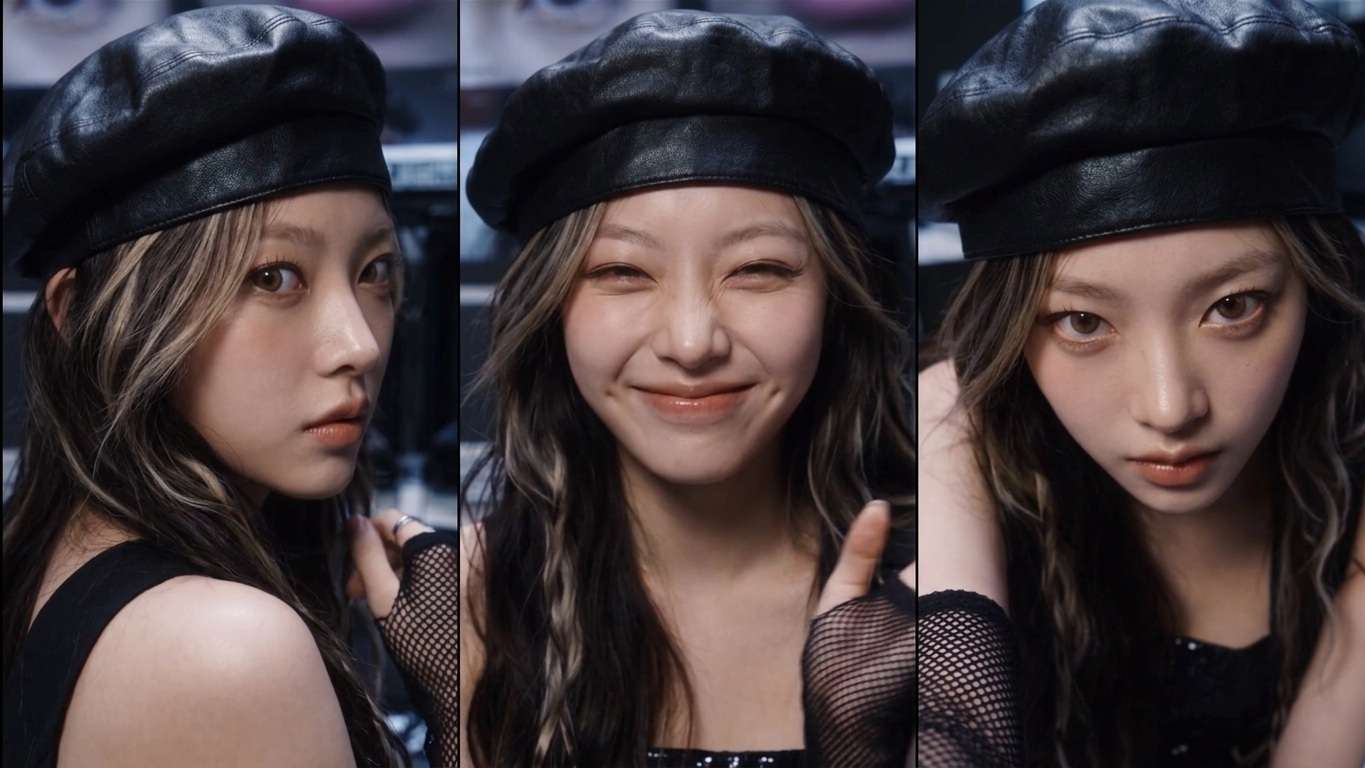
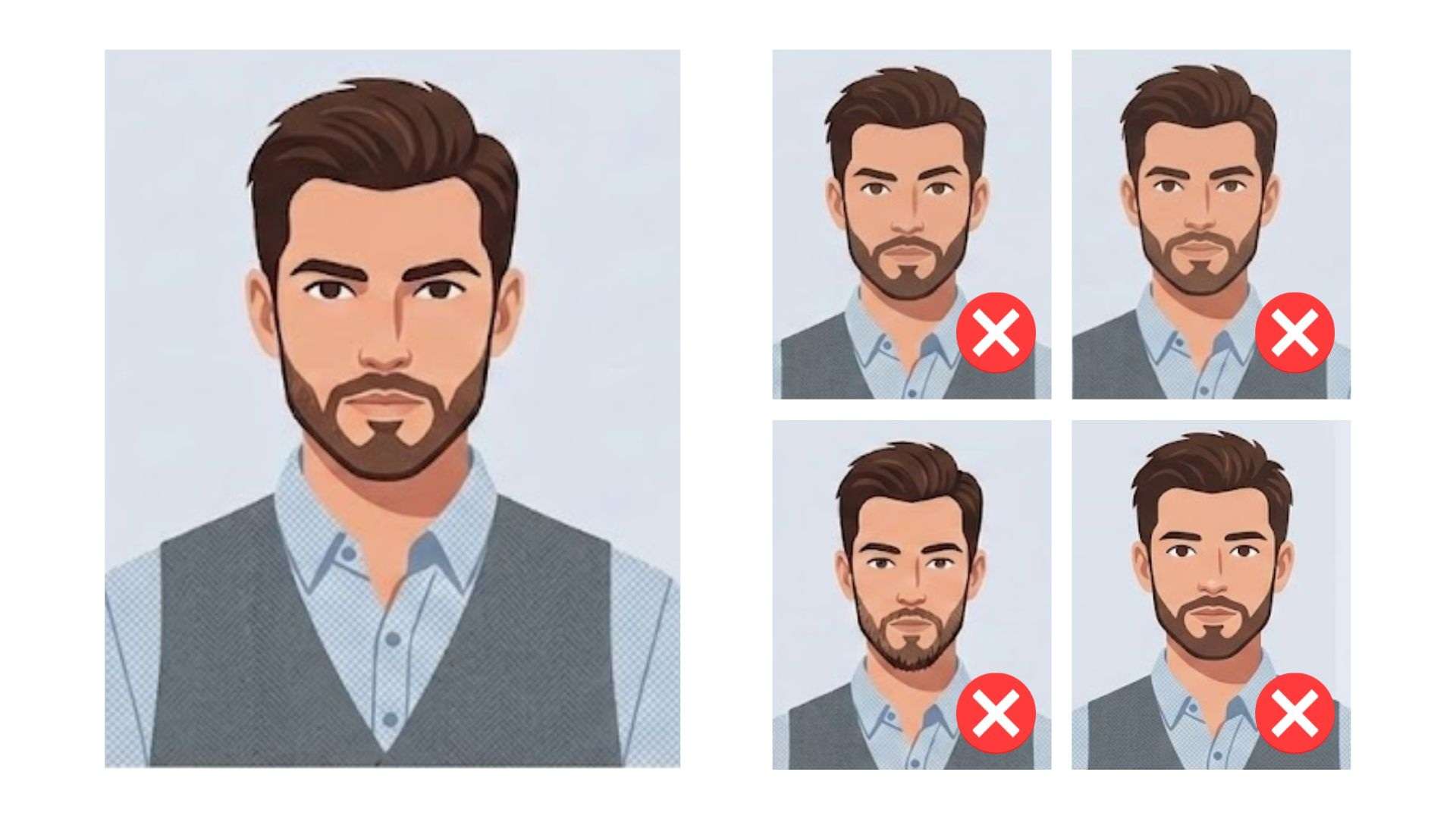
The face is the most sensitive part to get wrong. Two generations of the same character might look alike at a glance, but small differences in their eyes, nose, mouth, or face shape can make them look like different people.
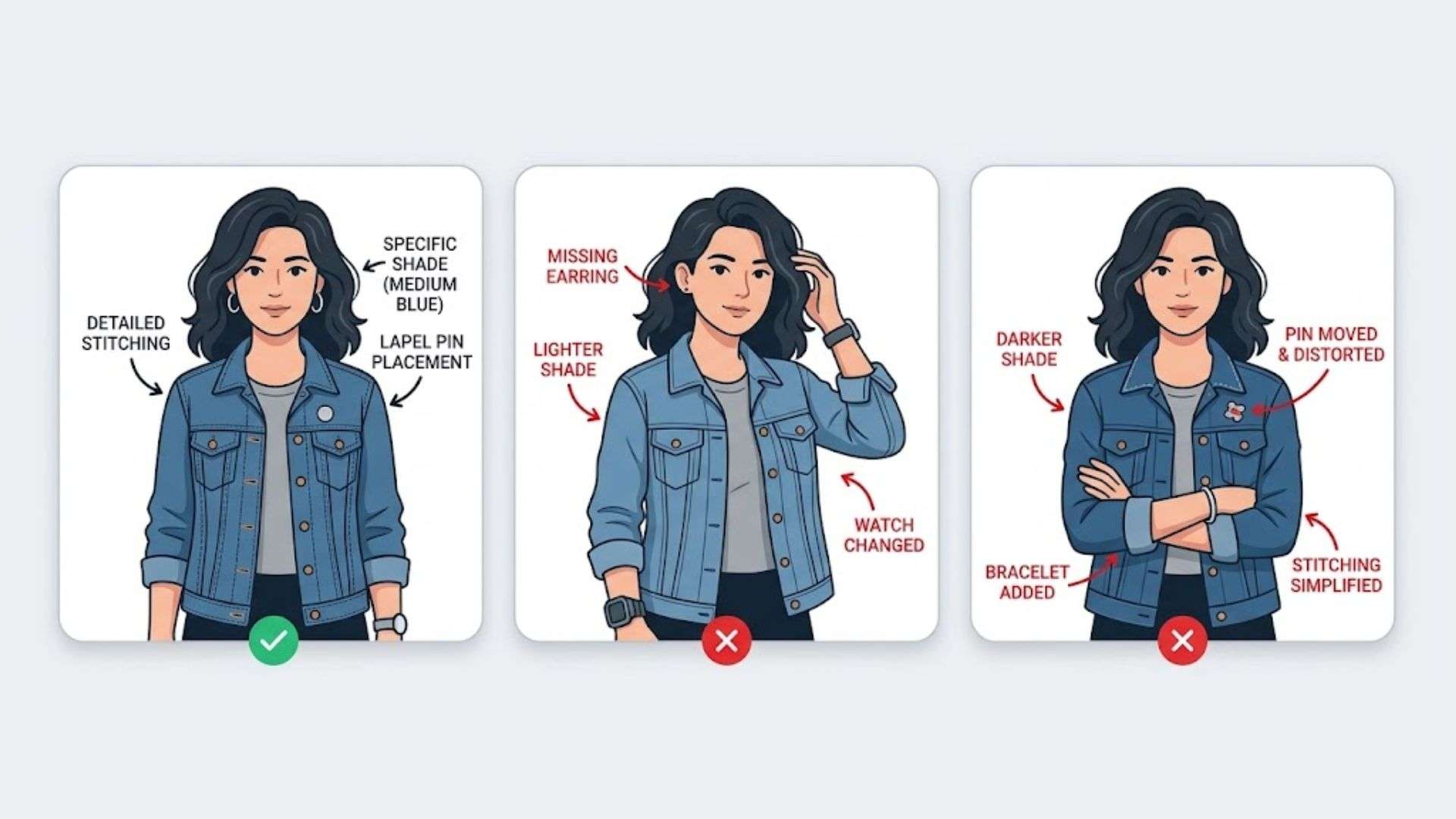
2. The Outfit Changes Between Scenes
Outfits have a lot of small details, like stitching, buttons, accessory placement, and exact shade of color, that are easy for AI to overlook or reinterpret from one generation to the next. A jacket might come out a slightly different color, a logo might shift position, or an accessory might vanish entirely. None of it looks wrong on its own, but side by side, these small changes can make it look like the character has changed outfits between scenes.
3. The Character Fits One Scene but Not Another
A character that looks right in one setting can fall apart in another. Lighting, camera angle, and scene context influence how the model renders them, so a character generated correctly outdoors in daylight might come out looking noticeably different indoors at night, even with the same reference and prompt.
How to Improve Character Consistency in AI Video
To keep your AI characters from changing between scenes, there are several practical techniques to help improve character consistency.
1. Use Reference Images
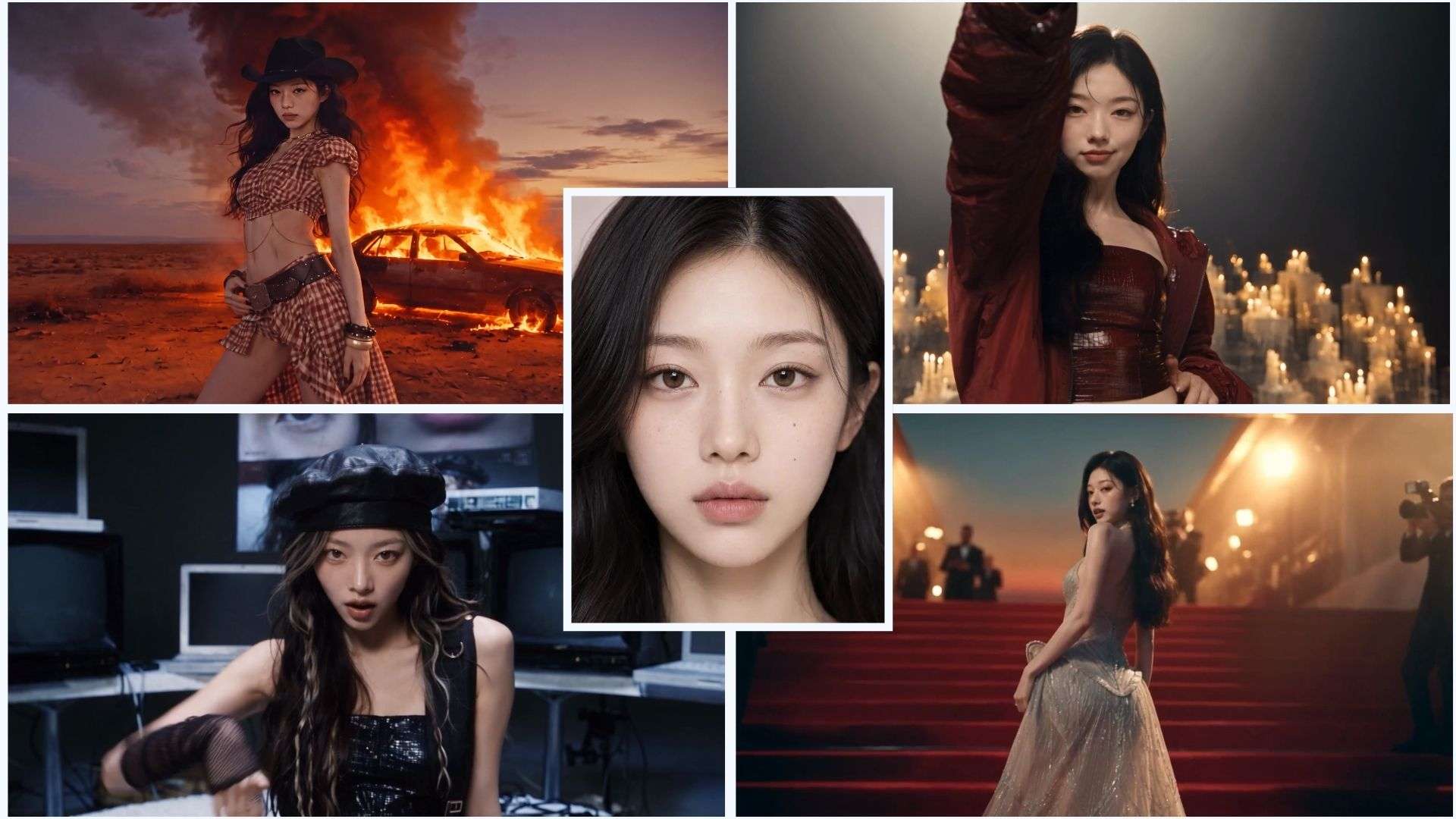
Feeding the model a reference image, rather than relying on text description alone, gives it a clear visual guide to follow. Most modern video and image tools support image-to-image or reference-based generation, and this alone fixes a large share of character inconsistency in AI-generated videos.
2. Build a Character Sheet
Just like how a director hands actors a script so everyone's on the same page, a character sheet does the same job for AI. It breaks down every visual detail into one reference document, which is useful when you need to define a character down to the smallest detail and keep them consistent across multiple scenes.
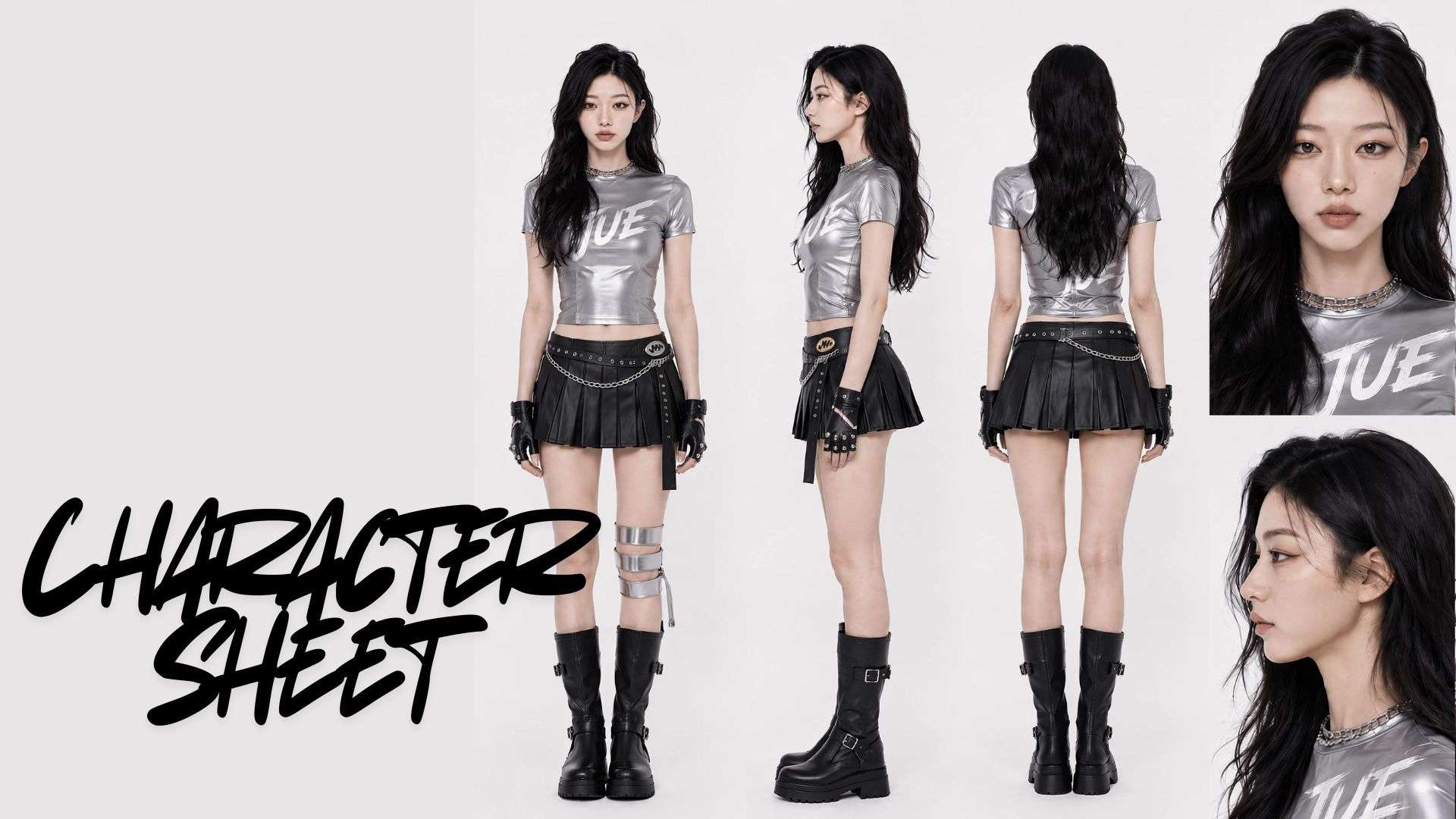
A character sheet usually covers:
- Physical appearance: Face shape, hair color and style, body type, and any distinguishing features like scars or tattoos.
- Clothing and accessory information: Exact colors, materials, and accessories that should appear in every scene.
- Facial feature specifications: Eye color, eyebrow shape, and other small details that are easy for the model to drift on.
3. Generate Scenes in Batches
Generating all your scenes in one batch and using the same reference and settings tends to produce more consistent results than generating them one at a time across different sessions. Batching keeps the model’s context and settings stable instead of resetting them with every new prompt.
Filmora.TV: A Platform Built for Character Consistency
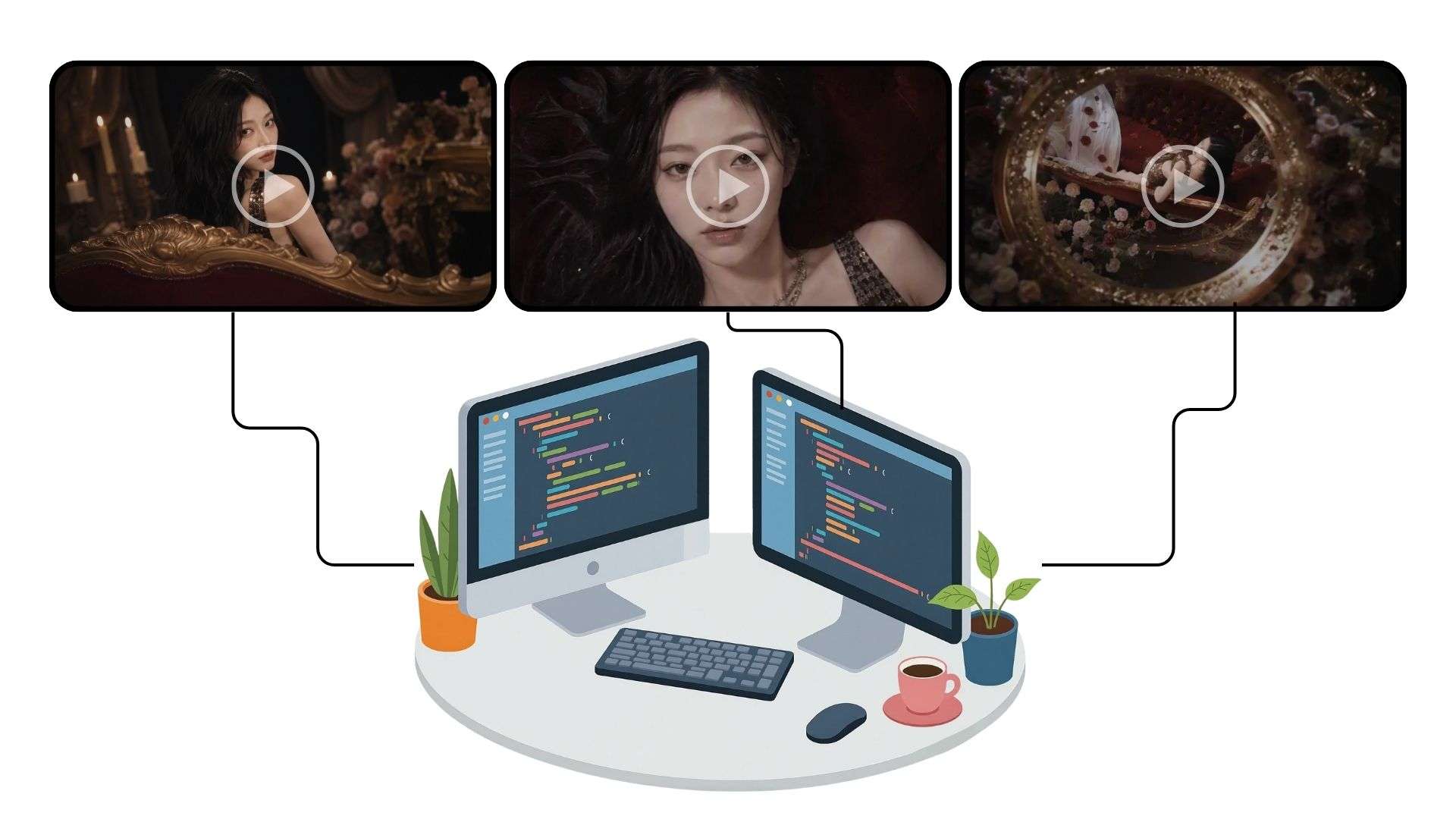
Aside from your prompts and reference images, the tool you use can also affect how easy it is to keep character consistency across scenes. Filmora.TV is one option that addresses this problem directly.
With Filmora.TV, you can manage character consistency across multiple shots in one connected workspace. Keep your character sheets and reference images alongside generated scenes, reuse those references across connected nodes, and compare different takes on the canvas. Once your shots are ready, arrange them on the built-in timeline to review how consistently your character appears throughout the stor
A few features worth looking at to keep your character consistent with Filmora.TV are:
- Storyboard editor. Plan out your scenes visually before generating anything, so you can keep track of where and how your character appears throughout the project.
- Reference image and start-end frame support. Upload a reference image once and reuse it across nodes, or set start and end frames to guide how a character should look and move through a shot.
- Assets library. You can store your character references, outfits, and other visual assets in one shared library so your whole project pulls from the same source instead of drifting between generations.
- Multi-model access. Filmora.TV's canvas gives you access to a range of image and video generation models in one workspace, so you can test which one holds your character's look best without jumping between separate tools.
The key to character consistency in AI video actually comes down to giving the model as much consistent, repeatable reference as possible, and having a node-based canvas workspace like Filmora.TV that keeps all of that organized makes the whole process a lot less painful.
How to Keep Character Consistency in Filmora.TV
1. Upload a Reference or Generate a Character Sheet
With Filmora.TV’s Image node, you can create a character sheet that captures the details you want to keep the character consistent. Start a new project and add an Image Node to generate the image.
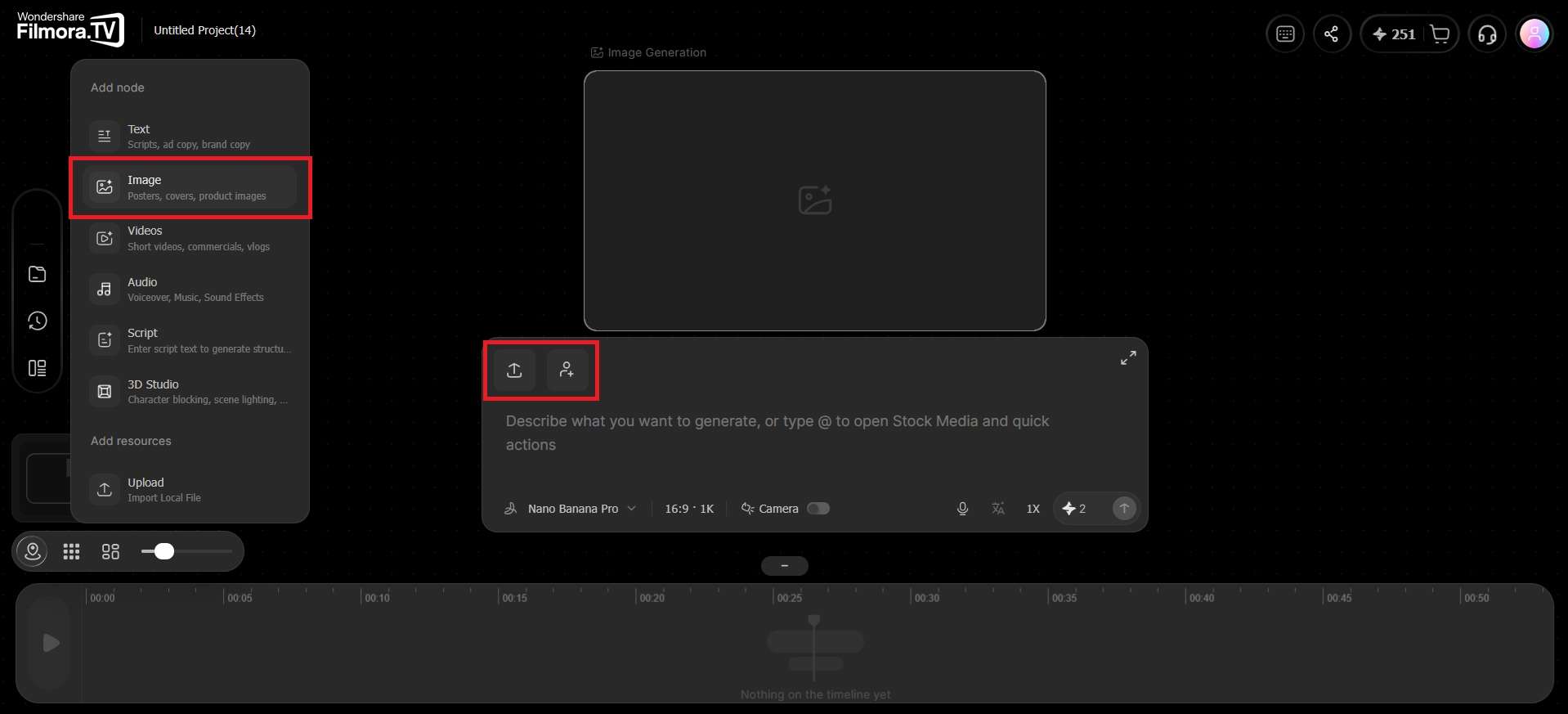
Then, provide a detailed prompt, upload a reference image if you have one, and describe the character details you want the AI to include. Ask it to show the character from different angles or include multiple views in one sheet.
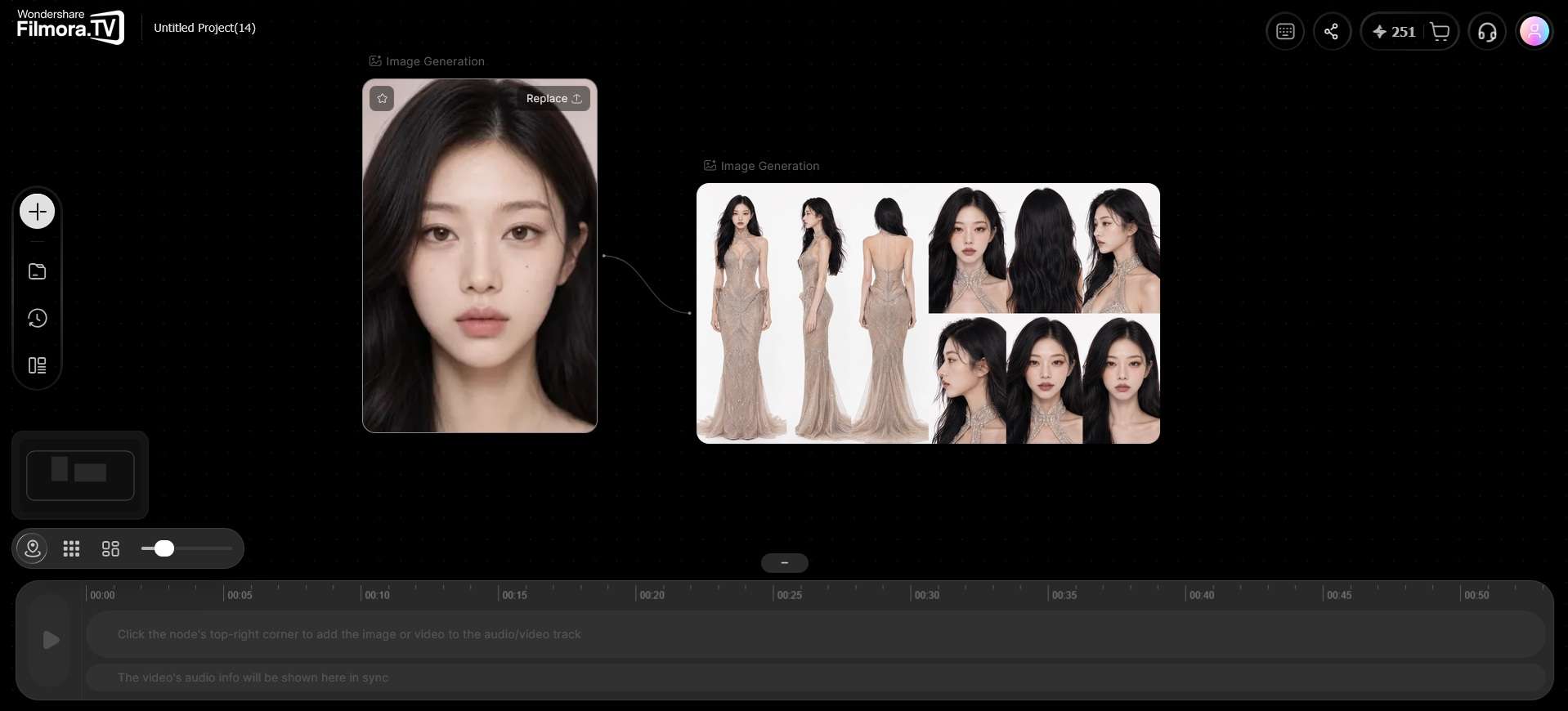
2. Save the Character Sheet to the Assets Library
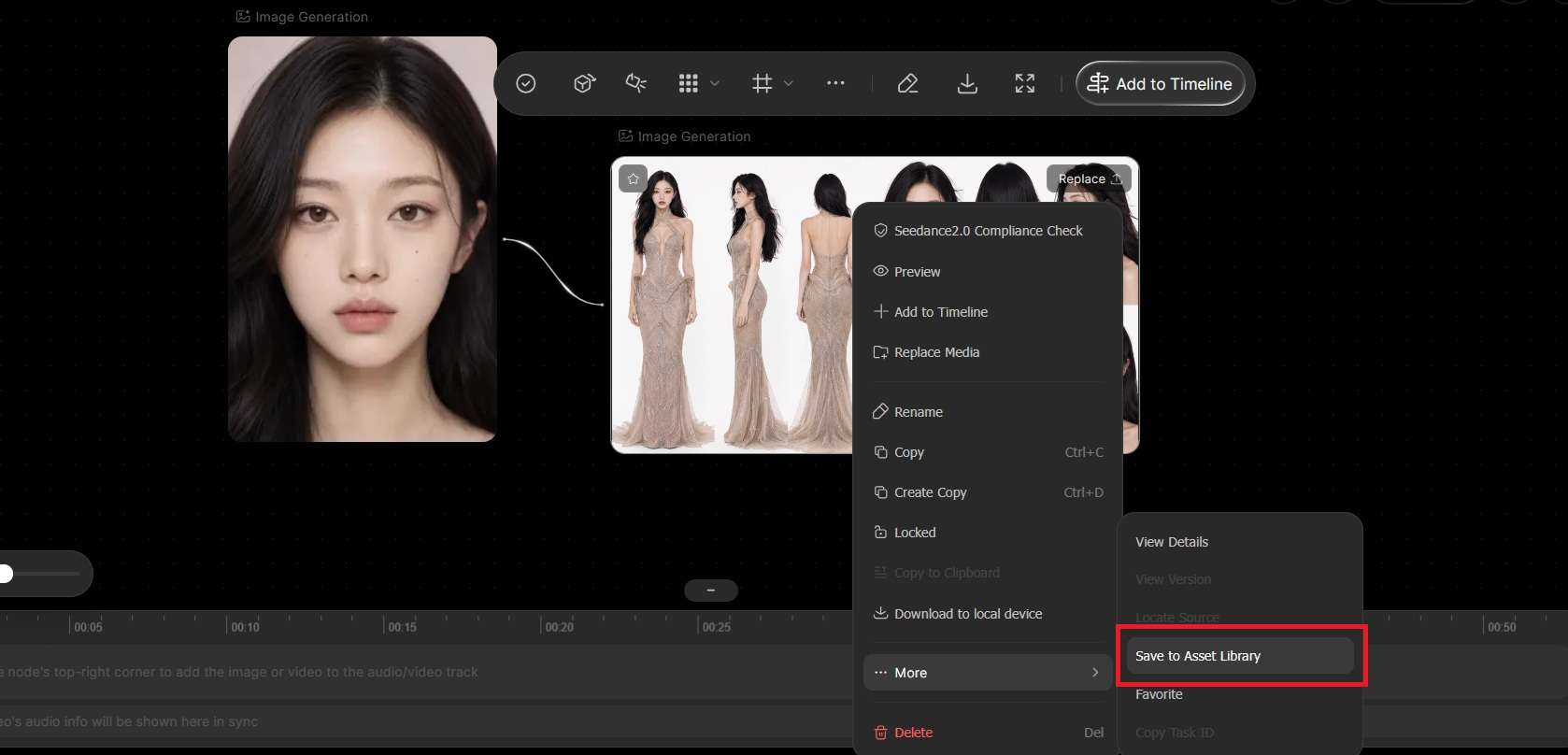
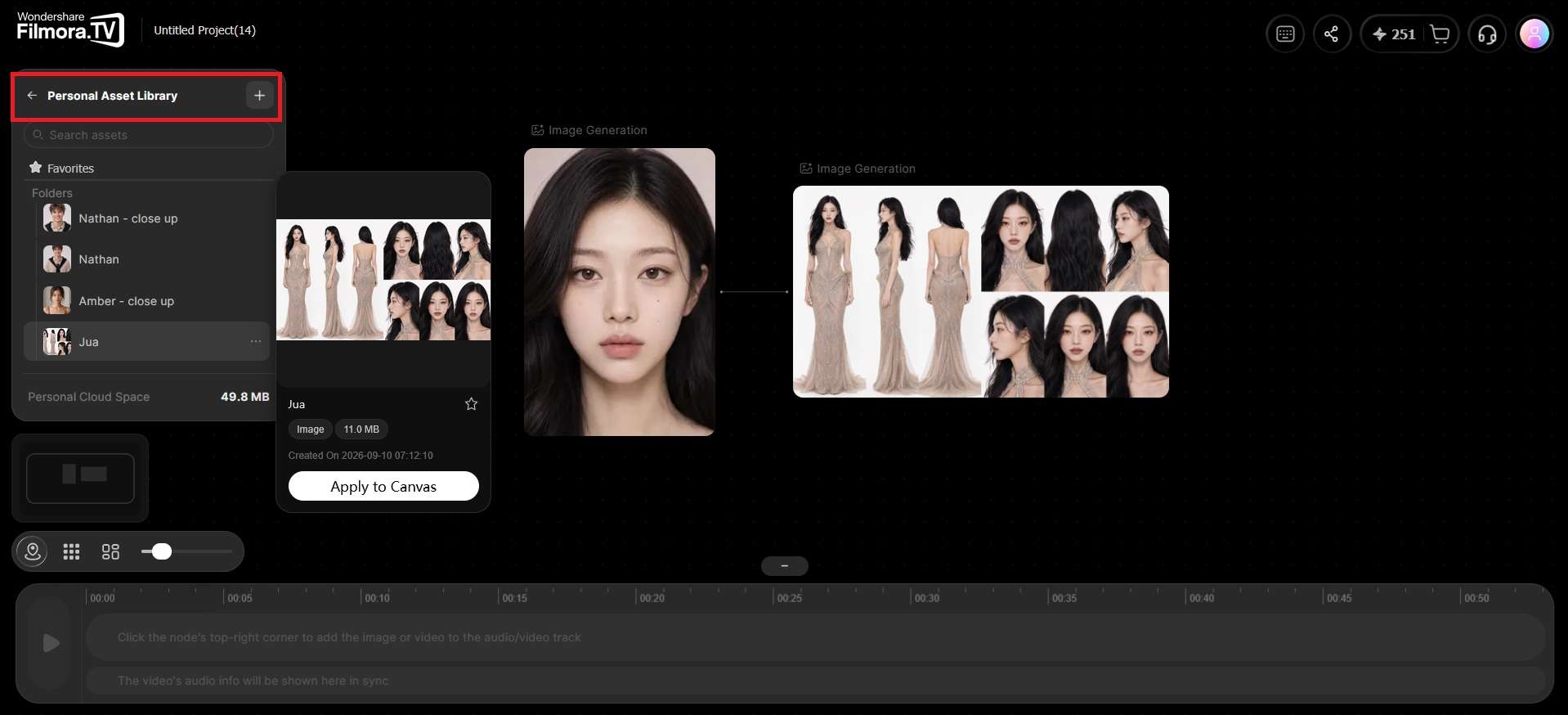
Saving your character sheet or image reference to the Assets Library keeps it available throughout your project. To do it, right-click the Image node and select More > Save to Asset Library.
With it stored there, you can reuse the same reference whenever you generate a new scene, even across different projects.
3. Use Connected Nodes to Build Related Scenes
Next, connect your character reference to each new Image or Video node as you build out scenes, so every generation pulls from the same source. You can then change the scene, action, or camera direction while keeping the character reference consistent.
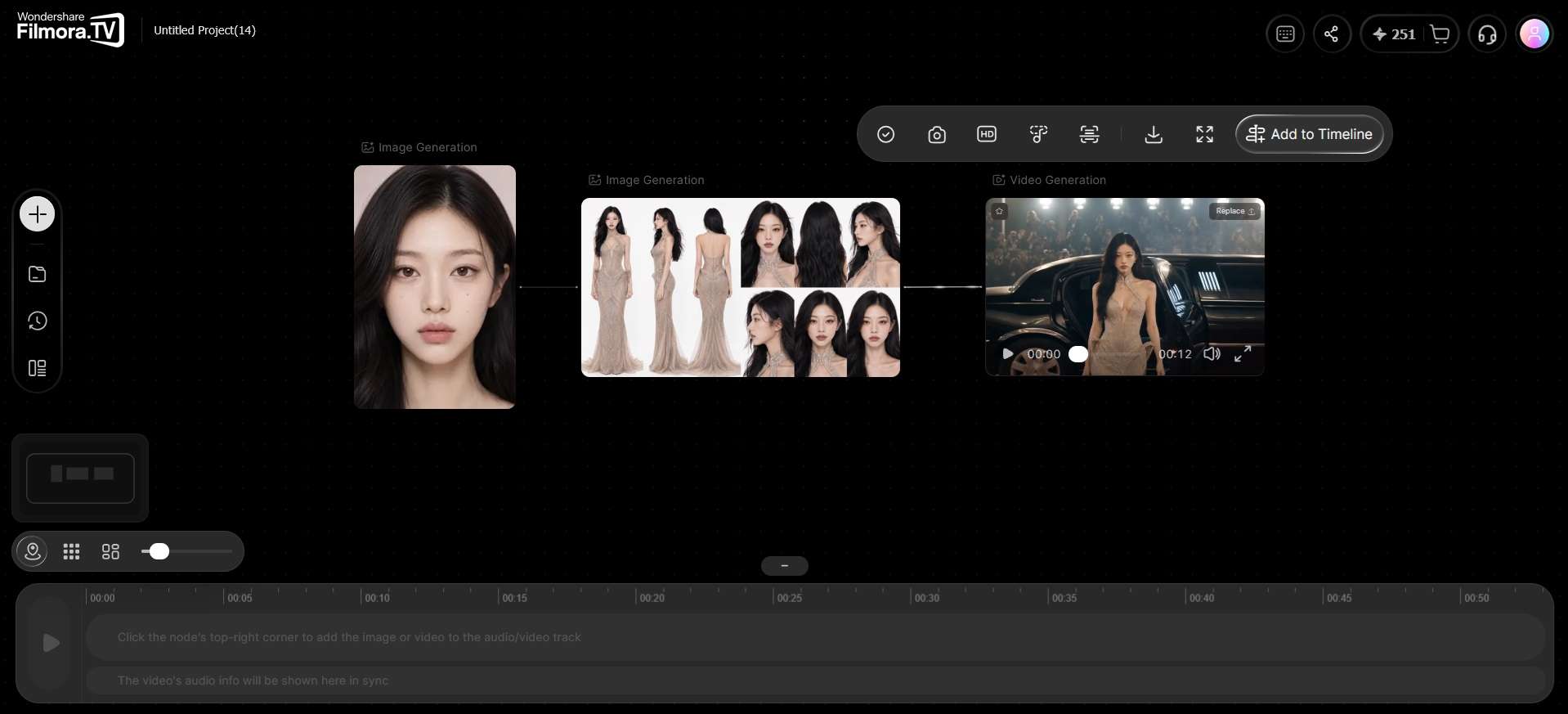
4. Review Character Consistency Across Your Video
Once you've generated your scenes, arrange the selected clips on Filmora.TV's built-in timeline. Review consecutive shots to check whether your character's face, hairstyle, clothing, and proportions remain consistent as the story progresses.
If a shot looks noticeably different, return to the canvas, reuse your character reference, and generate another version before updating the sequence.
Want to see how these individual shots come together? Explore the complete
AI video creation workflow, from planning and generating scenes to assembling a rough cut.
Conclusion
Keeping a character consistent is mostly about giving the AI a solid reference to work from and sticking with it. Reference images, a character sheet, and a workspace like Filmora.TV that allows for a more organized workflow will make character consistency a lot easier to manage.
You may still get an inconsistent shot, though. It can happen even with a good reference and a detailed character sheet. The important thing is to catch those weird generations early, before they make their way into the final edit.
FAQs
-
How can I create a consistent AI character for a longer video?
Start with a detailed character sheet and reuse the same reference images across your scenes. Keep key character details consistent in your prompts, then compare generated shots for changes in appearance. Before completing the video, review the clips in sequence and regenerate any shots that noticeably break character continuity.
-
Does prompt length affect character consistency?
Prompt length matters less than prompt specificity. A short and vague prompt leaves more room for the model to interpret details differently each time, while a longer prompt that spells out exact features, colors, and proportions gives it less to guess at.
Even so, pairing any prompt with a reference image will do more for consistency than adding more words alone.
-
How should I write a prompt for character consistency?
Be specific about the details that tend to drift and keep that wording the same across every scene you generate. You can also spell out what to keep and what not to change (e.g., “do not change the hairstyle, outfit, or face shape”).
Avoid re-describing the character from scratch each time. It’s best to reference the same character sheet or image so the model has a fixed point to match.
-
Can I fix inconsistent AI characters during video editing?
Minor differences in lighting or color can sometimes be improved during editing. However, major changes in facial features, body proportions, or clothing usually require regenerating the affected shot with better references. Reviewing neighboring clips on a timeline helps identify which shots need to be replaced.