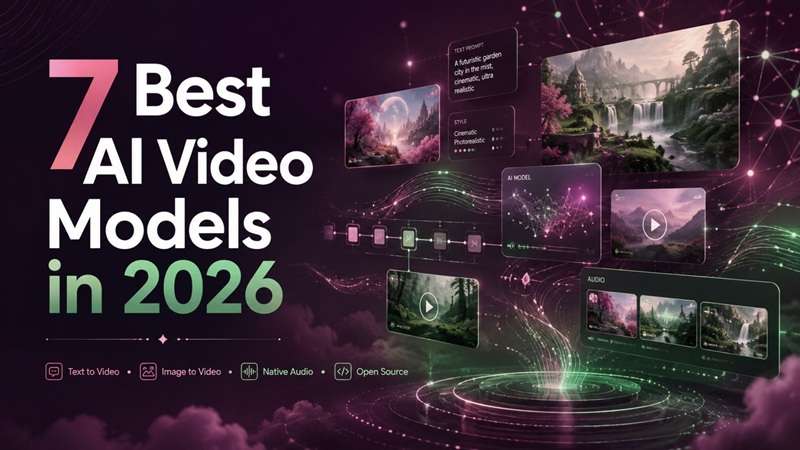
In 2026, the AI video model race is moving fast enough that rankings can change within months. Artificial Analysis’ current audio-enabled text-to-video leaderboard shows that five of its top six models were released between May and August 2026, while API prices range from about $2.40 to $12 per generated minute.
Even so, choosing the best AI video model depends on what you need it for. Factors such as motion control, consistency, native audio, cost, and local access can affect which model is the right fit. This guide compares the most advanced AI video models and looks at how workspace-based platforms like Filmora.TV are expanding AI video creation beyond simple generation.
What Should the Best AI Video Model Actually Offer?
Before comparing AI video models, you need to understand what you’re actually comparing. And to put it simply, it is the underlying generative system that creates moving footage from inputs such as text, images, video references, or other media. An AI video model generator, on the other hand, is the tool or platform that gives you access to that model.
That difference matters more than you might think. Two different websites can run on the exact same underlying model, but give you completely different camera controls, render speeds, pricing, and output quality.
| Factor | What to Look For |
|---|---|
| Prompt & Motion Control | Follows the requested action, camera movement, framing, and style closely. |
| Image-to-Video Quality | Keeps the original subject recognizable while adding natural motion. |
| Character Consistency | Maintains the same character, product, or visual identity across multiple shots. |
| Reference Control | Lets you guide results with images, videos, or other visual references. |
| Easy Iteration | Makes it simple to generate, compare, and refine several versions. |
| Post-Generation Editing | Allows generated clips to be arranged, trimmed, captioned, scored, and turned into a complete video. |
As a starting point, checking an AI video model benchmark or AI video model leaderboard can still be useful. Google, for example, publishes benchmark comparisons for Veo 3.1. However, rankings should be treated as one signal. Results can change with prompts, reference images, duration, resolution, and model updates.
Best AI Video Model Generators to Know in 2026
Every new AI video model release makes us think we’ve reached the limit of what AI can create, only for the next one to raise the bar again. As impressive as these models are, they usually have different strengths in realism, motion, storytelling, and creative control. So, this AI video model ranking focuses on what each option does particularly well.
Quick AI Video Model Comparison
| Pricing Model | Quality | Open-source | Local Deployment | Native Audio | |
|---|---|---|---|---|---|
| Seedance | Paid / API | Excellent motion control & camera fluidity | |||
| Kling | Freemium (Daily Credits) | High-fidelity realism & physics handling | |||
| Google Veo | Paid Cloud / API | Ultra-detailed 4K prompt adherence | |||
| Pika | Freemium | Fun web effects & quick social clips | |||
| Minimax | Open-Weights & Paid API | Strong multi-reference & video editing | Open-weights | ||
| HappyHorse | Paid / Subscription | Top ELO ranking for long-clip consistency | Open-source | ||
| Wan | Free Open-Source (Wan 2.2) | Smooth character motion & frame control | Open-weights | Yes (for Wan 2.2) |
1. Seedance – Best for Long, Story-Driven Clips
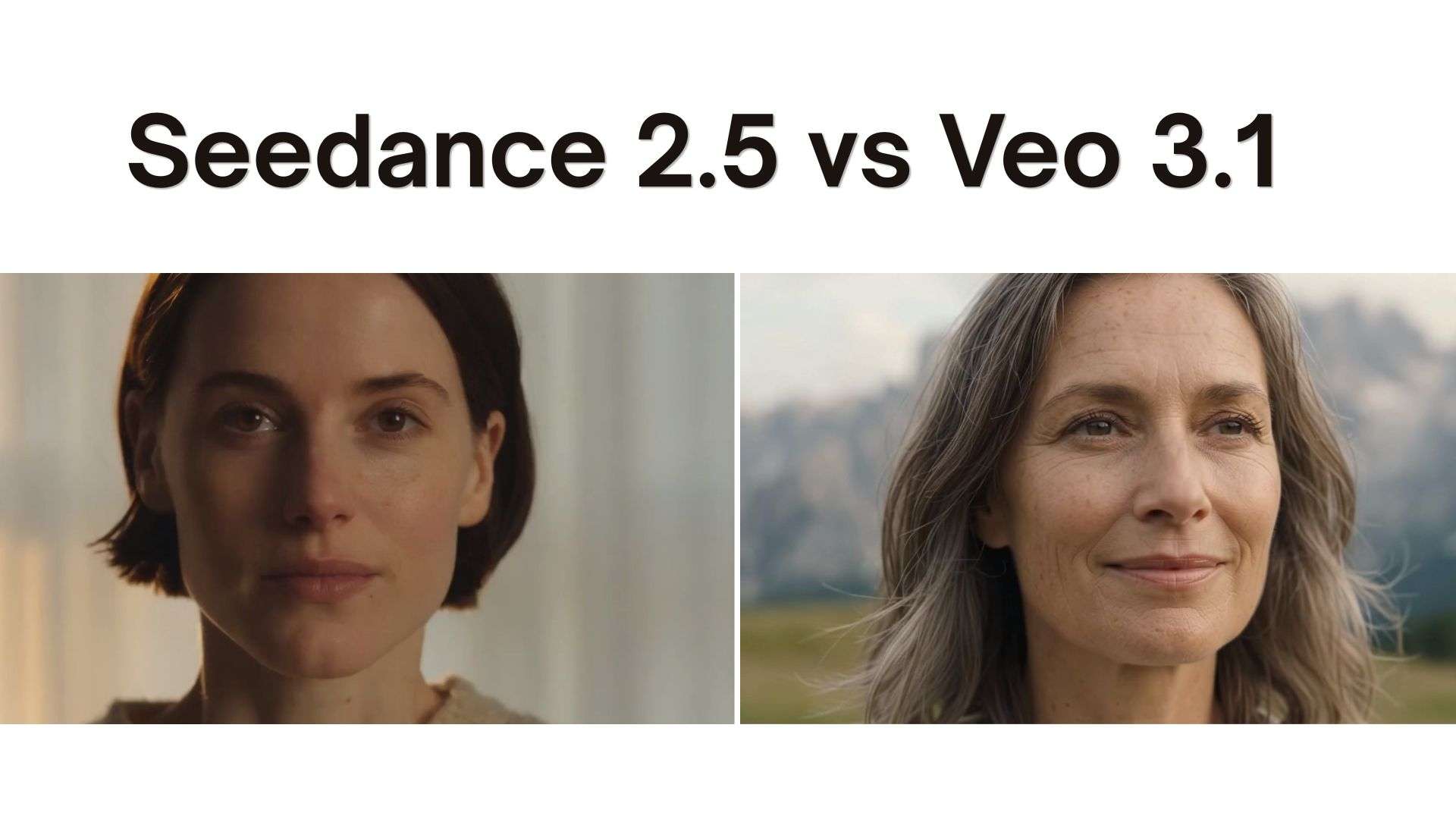
This is the newest AI video model on the list. ByteDance’s Seedance 2.5 is a massive leap forward for anyone needing high-end visual continuity. It operates as an advanced AI image-to-video model and AI-text-to-video model, built specifically to handle complex commercial storytelling, product promos, and social media campaigns without requiring constant manual clip stitching.
Key Features
- Single-Pass 30-Second Clips: Generates a full 30-second shot with smooth scene transitions, character continuity, and synced native audio.
- Expanded Multimodal References: Accepts up to 50 reference inputs (including up to 30 images, 10 video clips, and 10 audio clips) to lock down characters, products, lighting, and camera moves.
- 3D Layout & White-Model Input: Lets you stage a scene using rough 3D geometry first, giving you precise control over camera trajectories and spatial blocking before rendering.
- Advanced Editing: Supports timestamp-level editing along with features such as green-screen editing, camera perspective editing, and reference-based editing.
- Strong fit for longer, story-driven AI video generation.
- Can maintain stronger audiovisual continuity across connected shots.
- Heavy reference support means much tighter control over brand assets.
- Complex multi-subject renders can still take a bit longer to process during peak platform hours.
- Setting up dense scenes with dozens of reference inputs requires a steeper learning curve.
- Access and pricing depend on the platform you use, so costs can vary.
Pricing: Access varies depending on the platform hosting the engine. So, pricing is best checked on the specific platform or API service you plan to use.
2. Kling – Best for Long-Form Cinematic Shots
Aimed at cinematic, character-based scenes, Kling 3.0 is a multimodal AI video model. It can produce clips up to 15 seconds long using audio native to the video, controlled camera direction, and reference-based identities that keep the original identity intact, making it a strong option for narrative videos, ads, and content with its own dialogue.
Key Features
- 15-second generation: Supports longer continuous scenes and multi-shot sequences.
- Native audio: Creates dialogue, ambience, and sound effects with the visuals.
- Multi-reference control: Uses reference media to preserve characters, products, or scene details.
- Omni shot control: Guides framing, camera movement, viewpoint, and scene progression.
- 4K output: Supports high-resolution generation for more production-focused work.
- Strong character consistency across changing shots.
- Good control over cinematic movement and scene structure.
- Well-suited to dialogue and story-based video.
- Crowded scenes may still cause facial or interaction errors.
- Complex prompts often need more than one generation.
- Cloud-only, so it is not a local AI video model.
Pricing: Kling’s Video API prepaid packages start at $700 for 5,000 units.
3. Google Veo — Best for Cinematic Video + Native Audio
Veo 3.1 is Google’s current AI video model for high-fidelity video with synchronised sound. It creates 8-second clips from text or images and supports strong prompt adherence, cinematic motion, and reference-guided consistency. It is available through Flow, Gemini, Google Vids, the Gemini API, and Vertex AI.
Key Features
- Native audio: Generates dialogue, ambience, and sound effects.
- Reference control: Uses up to three images to guide characters, objects, and visual style.
- Frame control: First and last frames can define how a scene begins and ends.
- Flexible formats: Supports 16:9 and native 9:16 output for social video.
- High-resolution output: Offers 720p, 1080p, and 4K options, with Google using enhancement/upscaling for the higher resolutions.
- Strong choice for cinematic AI text-to-video model workflows.
- Keep characters and settings consistent when you supply reference images.
- Combines polished visuals and audio without a separate sound-generation step.
- Busy scenes with several characters or rapid action can still cause visual or audio errors.
- Its 8-second generation length means longer stories require multiple clips or video extension.
Pricing: Gemini API pricing starts at $0.05/second for Veo 3.1 Lite, $0.10/second for Fast, and $0.40/second for Standard at 720p with audio. Higher resolutions cost more.
4. Pika — Best Free AI Video Generator for Quick Experiments
Version 2.5 of Pika is a flexible AI video model that can do experiments with short text and image-to-video. Its free plan makes it useful for testing out prompts, effects, and ideas before paying, while paid users can generate up to 1080p.
Key Features
- Text & image generation: Generates a 5-10 second clip from your content description or image.
- Pikaswaps: Replaces selected objects or areas in existing video.
- Pikadditions: Adds new people or objects to footage.
- Pikaffects: Applies playful motion and physics-style effects to images or video.
- Pikaframes: Uses keyframes to control transitions and can create sequences up to 25 seconds on paid tiers.
- One of the easier free AI video model options for quick testing.
- Offers focused editing tools without rebuilding the whole clip.
- Supports 720p and 1080p on paid plans.
- Free Pika 2.5 generation is limited to 480p.
- Standard text-to-video and AI image-to-video model clips remain short.
- Complex cinematic realism and long narrative continuity are not its main strengths.
Pricing: Pika offers 80 free monthly credits with lower-resolution access to some generation modes. It offers a Standard plan at $10/month, Pro at $35/month, and Fancy at $95/month.
5. Minimax – Best for Character Motion & Expression
MiniMax H3 is a multimodal Chinese AI video model suited to character-led scenes, motion transfer, and reference-driven video. It accepts text, images, video, and audio as context, then produces clips up to 15 seconds with native stereo sound and outputs up to 2K.
Key Features
- Multimodal input: Combines text, images, video, and audio references in one generation.
- First/last-frame control: Uses one or two images to control how a scene starts and ends.
- Omni-reference mode: Supports up to 9 images, 3 videos, and 3 audio references.
- Native stereo audio: Generates speech and sound together with the visuals.
- Open weights: H3 was released with downloadable weights in August 2026.
- Strong fit for expressive characters and motion-heavy scenes.
- Useful for maintaining visual identity from reference material.
- Offers both hosted access and an open-weight deployment option.
- Local deployment requires substantial computing resources.
- Complex multimodal prompts may take several attempts to get precise results.
- The open model uses MiniMax's Community License, so it is not equivalent to a permissive Apache-style open-source AI video model.
Pricing: MiniMax monthly plans start at $22/month, but the pricing page notes that MiniMax H3 is not currently included in these subscription plans. For usage-based access, credits are sold at 1,000 credits = $1, with recharge packs starting at $5.
6. HappyHorse – Best for Native Audio-Video Synthesis
HappyHorse 1.1 is an AI multimodal video model generated that has the capacity to generate images and sound together. You can get viewership expectations along with daily and hourly demand analysis, including geographical distribution and watch time. With native audio support and lip-sync, it works well for dialogue, adverts, character scenes, and short cinematic content.
Key Features
- Native audio-video generation: Creates dialogue, ambience, and visual action in one pass.
- Reference-to-video: Uses up to 9 images to maintain characters or products.
- Multilingual lip-sync: Matches generated speech with character mouth movement.
- Flexible output: Supports several aspect ratios, including 16:9, 9:16, and 1:1.
- Image animation: Turns a still image into a motion-driven AI image-to-video model output.
- Strong choice for clips where sound and visuals must feel connected.
- Good subject consistency when multiple reference images are used.
- Supports both 720p and 1080p production.
- Complex motion can still produce physics or interaction errors.
- It offers less explicit shot-by-shot directing than some cinematic AI video models.
- Longer generations may need extra review for continuity.
Pricing: HappyHorse AI offers a free plan with starter and daily check-in credits. Paid monthly plans start at $12.50 per month.
7. Wan – Best Open-Source AI Video Model
Wan 3.0 is a multimodal AI video model that assists in reference-heavy long creations. You can create up to 30 seconds' worth of videos (1080p) from text, images, video, audio, documents, and webpage content. It is useful for product ads, branded scenes, and story-led content created from existing campaign assets.
Key Features
- 30-second generation: Supports longer scenes without splitting every idea into short clips.
- Multi-source references: Accepts up to 20 reference assets, including text, images, documents, and webpages.
- Camera control: Understands moves such as push, pull, pan, follow, and orbit.
- Subject consistency: Designed to keep faces, clothing, products, and other details stable across scenes.
- Integrated audio: Supports audio generation alongside video rather than requiring a separate sound step.
- Handles both AI text-to-video model and image/reference-driven workflows.
- Supports 480p, 720p, and 1080p output.
- The official repository uses an Apache 2.0 license.
- Longer, multi-subject scenes still need careful output review.
- The current official Wan 3.0 GitHub repository does not provide model weights or self-hosting instructions, so calling it a fully deployable local AI video model is not yet verified.
Pricing: Free version available with daily check-in credits. Paid plans start from $6.5 per month before current promotional discounts.
Create Full Videos with Multiple AI Video Models on Filmora.TV
Testing several AI video models often means jumping between websites, downloading each result, and rebuilding the project elsewhere. Filmora.TV simplifies this process by putting multiple generative engines into a single visual workspace.
You can run one prompt through several engines, compare the results side by side, and move your best clips directly onto an editing timeline.
What Is Filmora.TV?
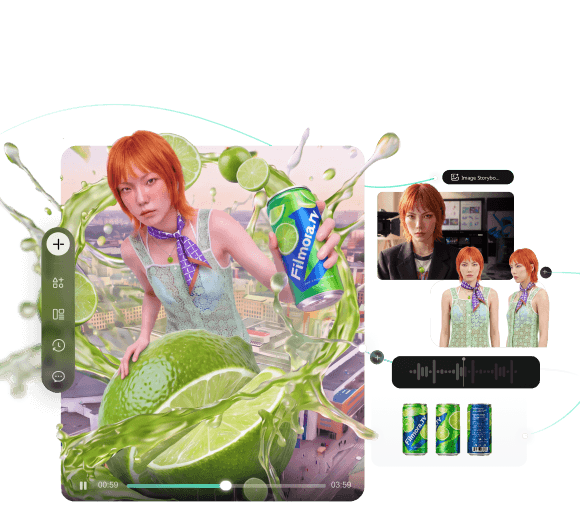
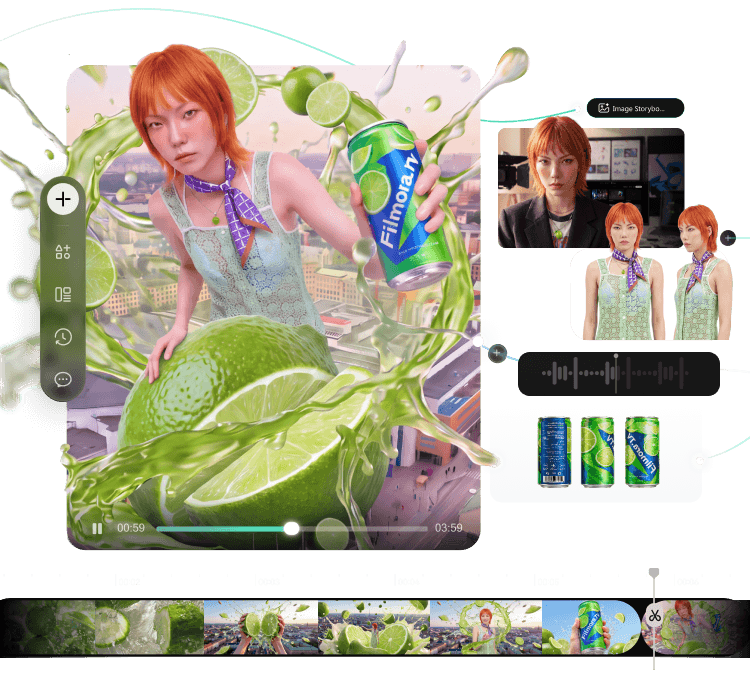
Filmora.TV is an AI-native video creation and collaboration workspace built around a free-form visual canvas. It is designed especially for TV commercials, branded content, AI shorts, and creative teams that need to explore many ideas before settling on a final cut.
Instead of starting with a fixed timeline, you can organize:
- Text, scripts, and prompt chains.
- Reference photos and product shots.
- Visual storyboards and scene concepts.
- Generated videos and other media assets.
- Side-by-side generation results for easy comparison.
The canvas works as a creative board built around a node-based workflow. You can branch one idea into several versions, keep references beside the generated clips, and compare results without losing the context behind each attempt.
Access Multiple AI Video Models in One Project
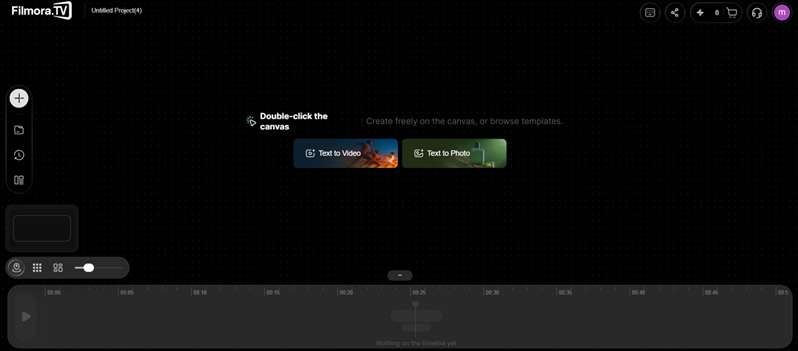
The Video Node is where you can generate video content directly in Filmora.TV. The current workspace supports four main generation paths:
- Text to Video
- Image to Video
- First and Last Frames
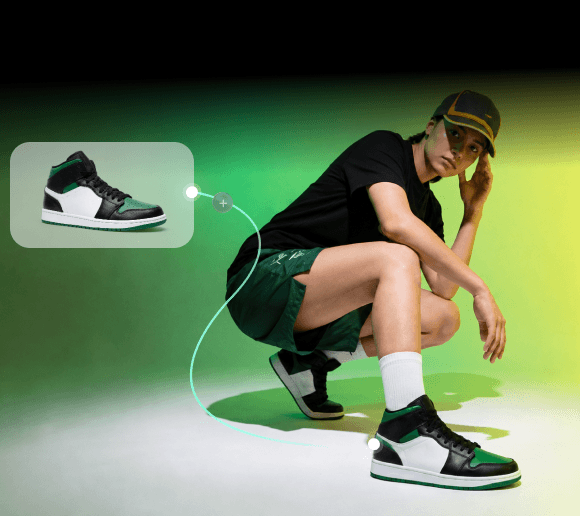
- All-in-One Reference
From the model selector, you can switch between different AI video models without leaving the project. Current options in Filmora.TV include:
| Model Family | Available Models |
|---|---|
| Seedance | Seedance 2.0 Mini, Seedance 2.0, Seedance 2.0 Fast, Seedance 2.5 |
| HappyHorse | HappyHorse 1.0, HappyHorse 1.1 |
| MiniMax | MiniMax H3 |
| Kling | Kling 3.0, Kling Omni 3.0 |
| Gemini Omni Flash, VEO3.1, VEO3.1-Fast, VEO3.1-Lite | |
| Vidu | Vidu Q3 |
| Wan | Wan 3.0 |
How the Workflow Works
- Build the idea on the canvas. Add your script, prompts, product images, characters, or visual references.
- Connect a Video Node. Choose text-to-video, image-to-video, first/last-frame generation, or reference-based creation.
- Pick an AI model. Test the same scene with Seedance, Kling, Veo, MiniMax, Wan, Vidu, or another available option.
- Compare the generations. Keep several versions visible on the canvas and choose the one that follows the brief best.
- Move selected clips to the timeline. Filmora.TV includes a multi-track editor for video and audio.
- Finish the video. Trim or split clips, adjust pacing, add music or subtitles, and export the completed project.
Once you've chosen an AI video model, the next challenge is turning individual generations into a coherent story. Explore this AI video creation workflow to see how to plan, generate, compare, and assemble multiple shots into a complete video.
Many AI platforms stop once they produce a clip, but Filmora.TV keeps the exploration and editing stages connected. You can generate several versions of a 15-second ad, compare them beside the original product references, select the strongest shots, and arrange them on the timeline without rebuilding the project in another editor.
For creators comparing the best AI video models, this makes Filmora.TV useful as both a testing workspace and a practical route from AI generation to a finished video.

- Explore ideas on an infinite canvas
- Compare AI results and keep your best assets together
- Turn ideas into finished videos in one workflow
- Collaborate with your team in one shared workspace
Conclusion
This AI video model comparison shows why no single model leads in every task. Some are stronger at cinematic motion, while others stand out for native audio, reference control, fast testing, or open deployment. The best AI video model therefore depends on the shot, output quality, budget, and level of control you need.
For larger projects, the bigger challenge is managing all those generations efficiently. Filmora.TV helps by bringing multiple models, references, results, and a multi-track timeline into one workspace. That makes it easier to test ideas, keep the strongest clips, and shape them into a complete video without breaking the creative flow.
FAQs About AI Video Model
-
1. Is there a completely free AI model?
Yes. Wan 2.2 provides downloadable model weights and inference code under the Apache 2.0 license. The model itself is free to use, but local generation still needs suitable GPU hardware or paid cloud compute.
-
2. Can AI turn a photo into a video?
Yes. Filmora.TV can animate a still image through its Image to Video mode. You can upload a photo, choose an available AI video model, add motion instructions, and generate the clip inside the same workspace.
-
3. What’s the best AI model in Filmora.TV for creating ads?
For ad-focused work, Vidu Q3-Ad is the clearest fit in Filmora.TV because it is specifically labelled for short ads. Vidu’s official ad tools support product-image animation, multiple ad variations, 1080p output, and camera-motion control.