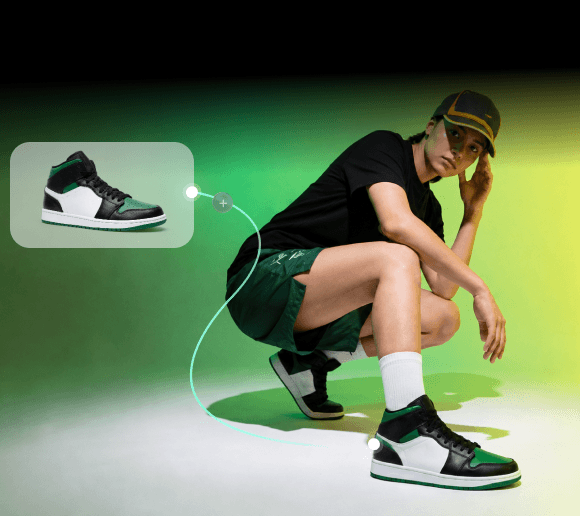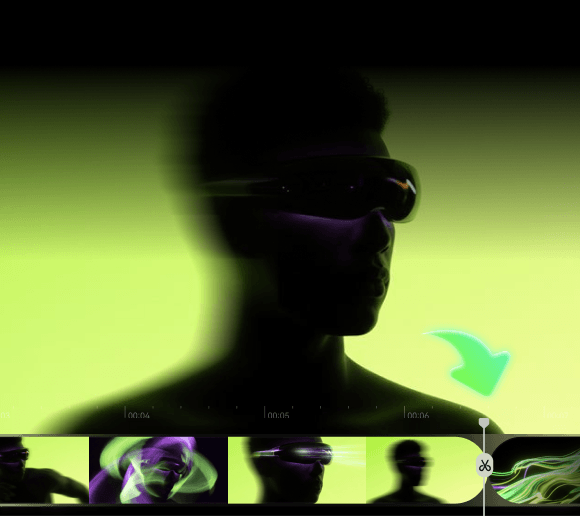

Adobe reports that 60% of creators use more than one creative generative AI tool to find the right tool for each task. As creative workflows become more fragmented, ComfyUI offers a way to bring different models and generation processes into a single workflow. It uses a node-based system that lets you connect models, inputs, and processes in a single workspace.
However, its technical workflow can be challenging, especially for beginners. So, we’ve curated the best ComfyUI alternatives and compared their features. This way, you can explore different node-based platforms and find one that fits your needs.
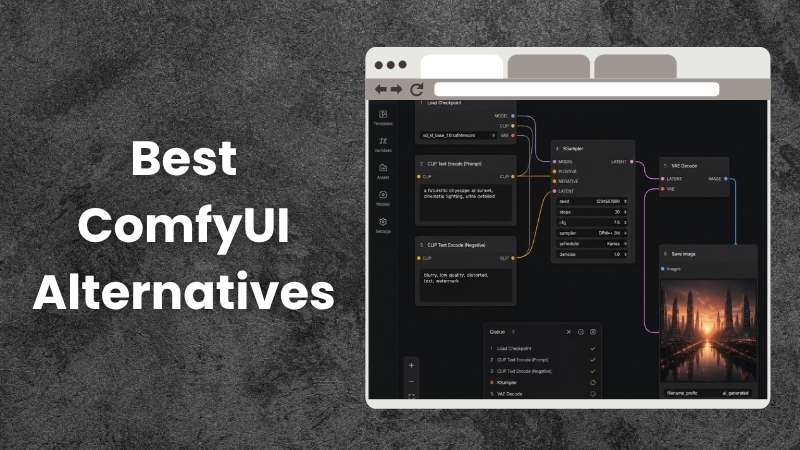
Why Look for a ComfyUI Alternative
Although ComfyUI's node-based system gives you more freedom to customize how your content is created, many users still look for ComfyUI alternatives for different reasons. Let’s explore some of the challenges that can make other tools worth considering.
1. A Complex Interface
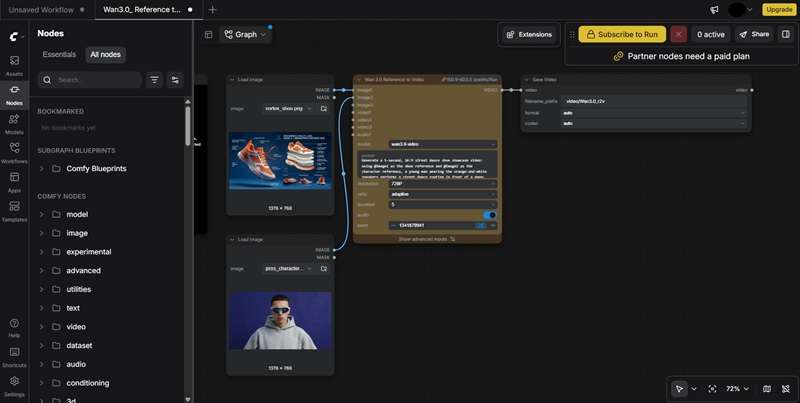
ComfyUI puts a lot of technical details and options on the screen. While this is useful for advanced users, it may feel overwhelming if you simply want to create an image quickly. Instead of making the process quicker, navigating through them may slow you down.
2. Shared Workflows Can Be Tricky
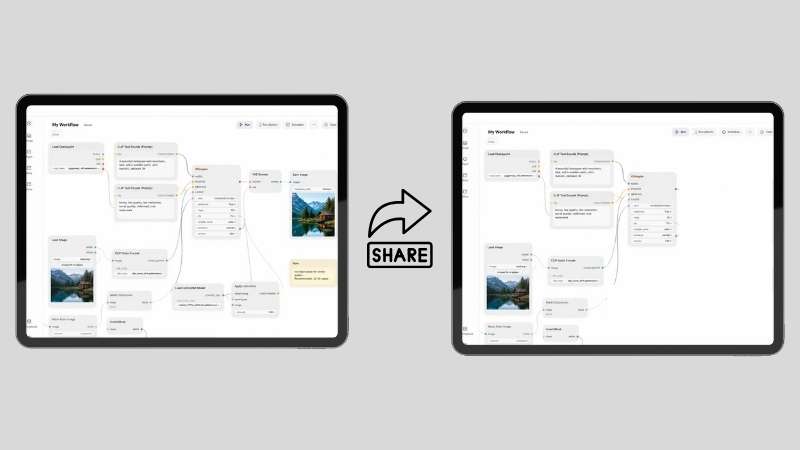
ComfyUI workflows are easy to share. However, it may take some time to understand when the workflow was created by someone else. Things can get even more complicated when the workflow uses custom nodes that are missing from your setup.
3. Requires a Powerful PC

ComfyUI can put a significant load on your computer while generating AI content. If you have older or lower-spec PCs, you may experience slower generation or reduced performance. This makes ComfyUI less convenient for users with standard devices.
What We Looked for in a ComfyUI Alternative
With so many tools available, finding a suitable ComfyUI alternative can take some research. To make the decision easier, we compared each tool based on the criteria that matter most.
- AI Generation Capabilities: We check what each ComfyUI alternative can create, from images and videos to 3D assets and other AI-generated content.
- Workflow Flexibility: How much control do you have over the workflow? We look at options for adjusting settings, connecting different tools, and creating custom workflows.
- Ease of Use: We look at how approachable each ComfyUI alternative is, from its interface to its workflow setup.
- Free Plan and Pricing: Pricing can make a big difference when choosing an AI platform. We compare free options and the features included in each paid plan.
Top 3 ComfyUI Alternatives to Consider
Every tool on this list has its own strengths. However, these three stand out for their features and flexibility. If you want strong alternatives to ComfyUI, they’re a good place to start.
1. Filmora.TV - Best for AI Content Creation

Filmora.TV is a versatile ComfyUI alternative with a more approachable node-based workflow. You can connect different AI models and generation tools to create the content you need.
2. InvokeAI - Best for Digital Artists

A ComfyUI alternative UI worth trying is InvokeAI. Known for its strong image generation and editing capabilities, it works well for creating illustrations, concept art, and other digital artwork.
3. SwarmUI - Best for Streamlined Workflows

SwarmUI is often mentioned as a ComfyUI alternative on Reddit. It builds on ComfyUI as its backend. However, it offers a more organized interface to manage your workflows.
A Quick Overview of ComfyUI Alternatives
Before exploring each ComfyUI alternative in detail, here’s a quick overview of what they offer. Let’s take a look.
| Tool | Platform | Free / Paid | AI Generation | Best For |
|---|---|---|---|---|
| Filmora.TV | Online | Paid | Image, Video, Audio, Asset | Video Storytelling and Advertising |
| SwarmUI | Windows, Linux, Mac, Cloud | Free | Image, Video | Visual Art and Short-Form Content |
| InvokeAI | Windows, macOS, Linux | Free | Image & Video | Illustrations & Concept Art |
| VoooAI | Online | Free & Paid | Image, Video, Audio | Narrative Content & Commercial Videos |
| Krea AI | Online | Free & Paid | Image, Video, 3D, Audio | Creative and Marketing Content |
| Wireflow AI | Online | Free & Paid | Image, Video, Audio | Short-Form Content |
| Promptus | Windows, macOS, Cloud | Free & Paid | Image, Video, 3D, Audio | Brand Campaigns and Product Promotion |
| Magnific | Online, Windows, macOS | Free & Paid | Image & Video | Marketing Videos |
| Flora | Online | Free & Paid | Image & Video | Creative and Commercial Content |
Best ComfyUI Alternatives: Full Breakdown
We’ve seen how the ComfyUI alternatives compare at a glance. Now, it’s time to get into the details and see what each platform offers.
1. Filmora.TV
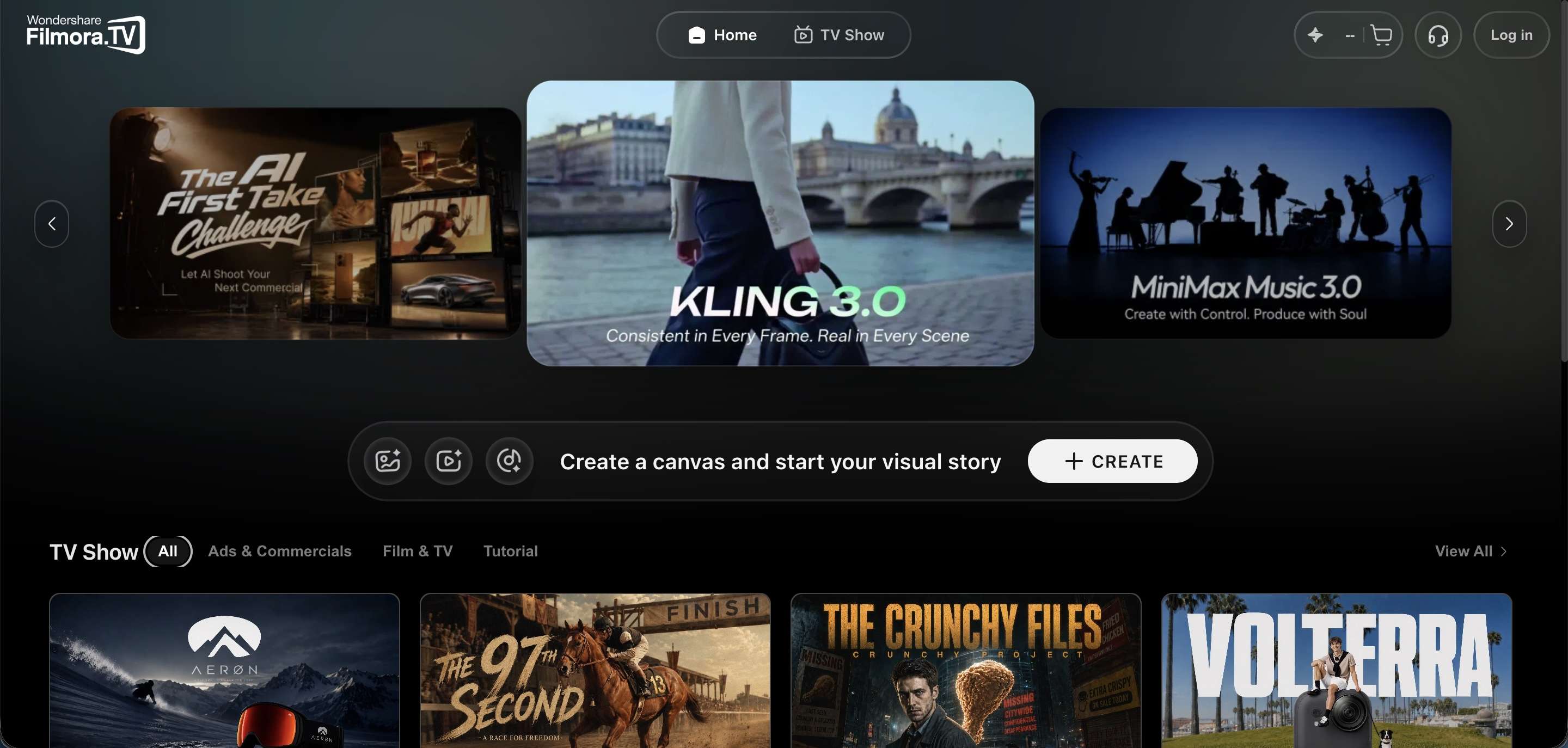
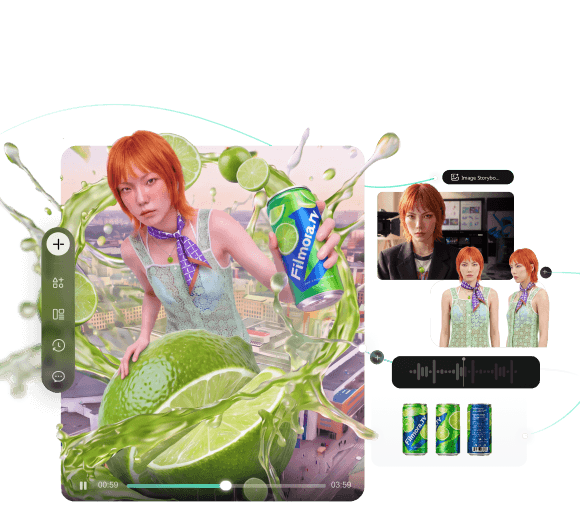
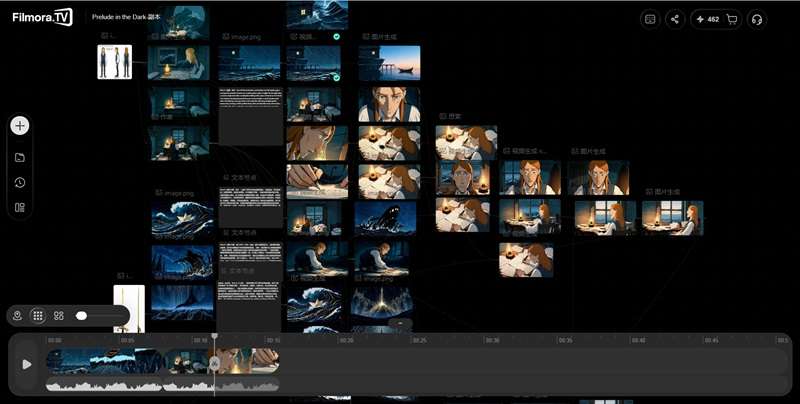
Let’s start the list with one of the best ComfyUI alternatives, Filmora.TV. It brings together text, images, videos, assets, ideas, and task flows in one flexible workspace. You can organize ideas, generate and compare assets, connect workflow steps, and manage your results more flexibly. This way, it’s easier to see your whole concept on one canvas and keep track of each part of the process.
Key Features:
- Visual Workspace: Plan ideas, generate assets, and organize your creative process on one canvas.
- Built-in Timeline Editor: Edit generated videos, audio, and subtitles directly from the same workspace.
- Collaborative Workspace: Share assets, leave feedback, and manage creative projects with your team.
- Templates & Presets: Access templates, character libraries, camera presets, and reusable assets to speed up your workflow.
- It goes beyond just generating content. You can put multiple scenes together directly in the workspace and export them as a finished video.
- Offers specialized tools for cinematic lighting, product and character sheets, and storyboard grids.
- You can export projects to Wondershare Filmora or XML for further editing.
- The available workflow templates are still limited.
Platform: Online.
Best For: Short films, video ads, storyboards.
Price: Buy AI credits starting at $20, valid for 1 year.
2. SwarmUI
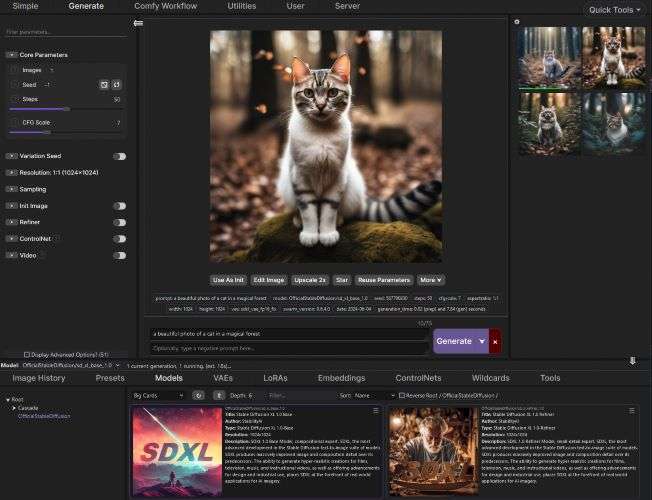
Next, we’ll go with SwarmUI, a ComfyUI cloud alternative. It combines ComfyUI’s powerful features with a more approachable interface. The workflow is easier to understand. This makes it more convenient for beginners who simply want to generate content quickly.
Key Features:
- Integrated Workflow Browser: Browse, save, and load workflows easily. Also, create a shared workflow list so multiple users can access and use the same workflows.
- Grid Generator: Save your preferred workflows and compare them directly from the Generate tab.
- Model-Specific Enhancements: Automatically apply optimized settings based on the model you are using.
- Supports advanced prompt syntax for effects like prompt alternation and transitions.
- Manage your models and generated images with visual browsers that include thumbnails, descriptions, and usage information.
- Offers clear HTTP and WebSocket APIs with full documentation, making it convenient to build integrations around the platform.
- Beginners may still need time to understand some of its advanced tools.
- SwarmUI is still in beta, so some features may be incomplete or still under development.
- Since SwarmUI runs with ComfyUI in the background, it can make your computer feel heavier.
Platform: Windows, Linux, macOS, Cloud (Google Colab, Runpod, Vast.ai).
Best For: Game assets, illustrations, and short videos.
Price: Free.
3. InvokeAI
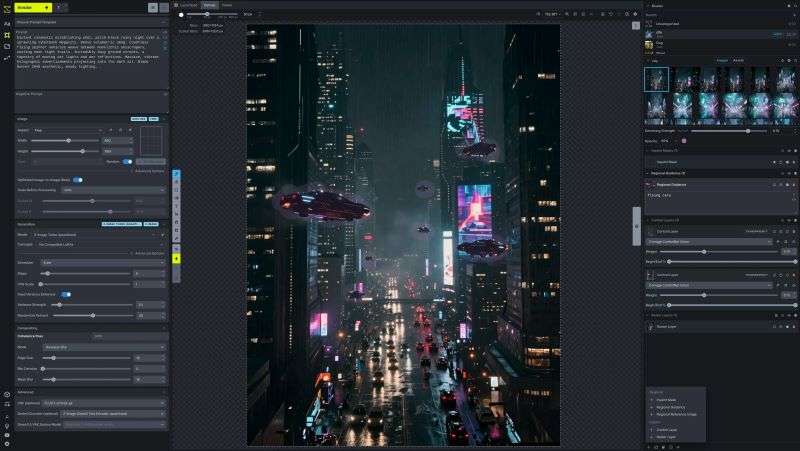
Another free ComfyUI alternative is InvokeAI. The platform offers two main workflows: Canvas and Node-Based. With the Canvas workflow, you can draw and edit your images while making changes to each layer separately. Meanwhile, Node-Based lets you build and reuse complex workflows using a visual graph.
Key Features:
- Wide Range of AI Models: Provides up to 25 AI models for generating images and videos, with three additional models available through API integration.
- Organized Gallery: Keeps your generated content organized in a dedicated gallery, making it easier to find, access, and remix your creations.
- ControlNet Support: Offers extensive ControlNet support, allowing you to guide image generation using depth maps, edges, poses, and more.
- The interface is simple and intuitive, making it easy for beginners to get started.
- InvokeAI is actively developed, with regular updates and new versions being released.
- Since InvokeAI runs on your own hardware, your prompts, data, and creations stay under your control.
- The installation process can be tricky, especially when errors occur or you need to reinstall the software.
- The Canvas may feel limited if you need advanced editing tools or more detailed control over your content.
- Requires duplicate copies of your AI models, which can take up a lot of storage space.
Platform: Windows, macOS, Linux.
Best For: Illustrations, concept art, character designs, and detailed digital artwork.
Price: Free.
4. VoooAI
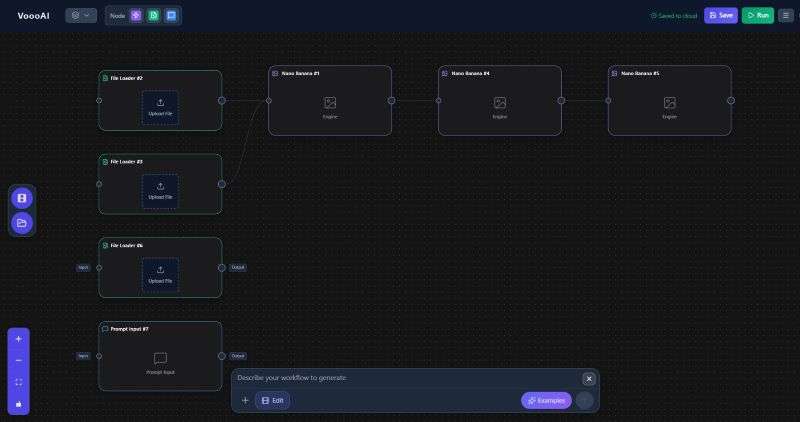
When you search for a free ComfyUI Alternative, try VoooAI. While it isn’t fully free, you can still use the free weekly credits to try out its features. Unlike traditional workflow-based tools, VoooAI lets you create and run workflows using simple instructions, making it easier for beginners to get started.
Key Features:
- Natural Language Workflow: Simply describe what you want to create, and VoooAI can understand your request, build the right workflow, and handle the required steps for you.
- Multiple AI Models to Choose From: Supports various AI models, including Seedance, Kling, Sora, FLUX, Suno, and more.
- Concurrent Tasks: Process multiple generation jobs simultaneously.
- Move around the workspace, zoom in and out, adjust the node layout, and run processes without much hassle.
- Provides multiple size and quality options, so you can create content suited to different social media formats.
- Allows you to use generated content in commercial projects.
- VoooAI has a limited collection of pre-made workflows.
- The generated visuals may vary between attempts, so you may need to regenerate them several times to get the result you want.
- Video generation can require a large number of credits, so your balance may run down quickly when using these features.
Platform: Online.
Best For: Short drama, anime, product visuals, storytelling content.
Price: There is a free plan available, with paid subscriptions ranging from $8 to $49 per month.
5. Krea AI
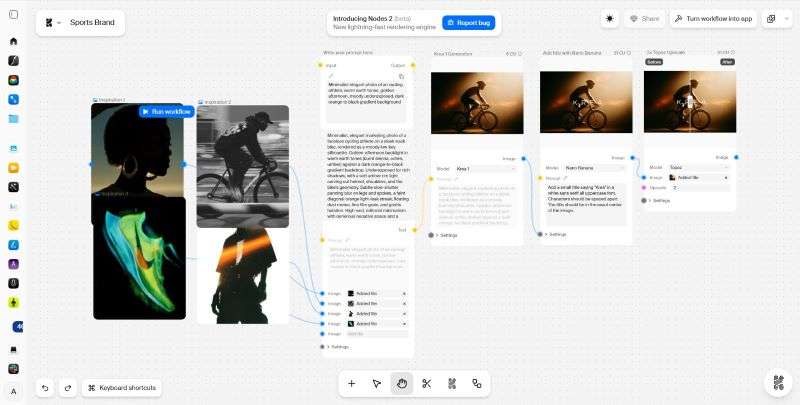
Next on the list is Krea AI. It comes with both traditional AI generators and a node-based workspace called Nodes. With Nodes, you can bring different AI tools together and connect them into a single workflow. Since it runs fully online, Krea can be a ComfyUI alternative for AMD users.
Key Features:
- AI Content Generation: Generate different types of creative content, including images, videos, and 3D assets, and more.
- Editing & Enhancement Tools: Edit, enhance, and add effects to your generated content. You can also upscale images to resolutions of up to 8K.
- Team Collaboration: Share workflows with your team and work together on the same page.
- The platform offers various workflow templates for different types of content, giving you more options to start with.
- With support for 7+ popular AI models, you can choose the one that best suits your project.
- You can set up Krea to handle repeated processes automatically.
- Krea's Nodes workspace is still in beta, so some features may still be under development.
- Some advanced settings can be harder to find, which may make detailed adjustments more difficult.
- Results can vary between generations, making it harder to keep the same look across multiple outputs.
Platform: Online.
Best For: Creative concepts, product videos, social media content.
Price: Free plan available. Paid plans range from $9 to $165 per month.
6. Wireflow
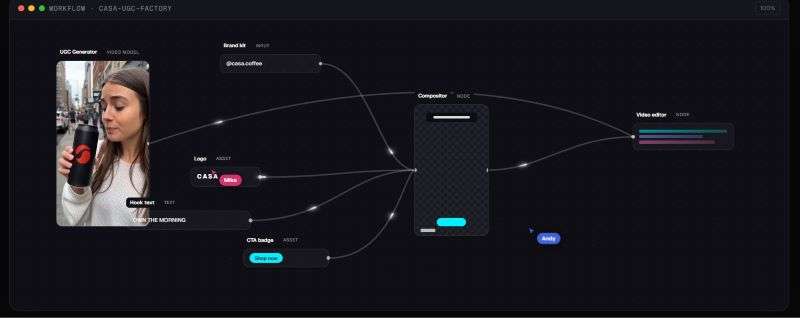
When you look for a ComfyUI alternative for macOS and Windows, Wireflow is worth considering. It runs fully online, so you can access it from any device with an internet connection. It supports a range of image, video, and audio AI models that you can use within your workflows.
Key Features:
- Multiple AI Models: Supports AI models such as FLUX 3 Image, Nano Banana 2, Recraft V4, and Seedance 2.0.
- Batch Generation: Can generate multiple pieces of content at once.
- Automated Social Media Posting: You can create content and schedule it for social media platforms directly from the same workflow.
- You can use Wireflow with Claude, Claude Code, Cursor, ChatGPT, and Grok to create and run workflows.
- You can choose from pre-built workflows designed for tasks like making thumbnails, short videos, presentations, and UGC content.
- The platform provides tutorials and guides to help you understand how to use its features.
- Since everything runs online, an unstable connection can make it harder to work smoothly with complex workflows.
- Maintaining the same visual details across a long workflow can be difficult.
- Wireflow has limited built-in tools for managing and editing long-form content.
Platform: Online.
Best For: Short videos, ads, marketing content, and UGC clips.
Price: Free plan available. Paid plans range from $24 to $249 per month.
7. Promptus
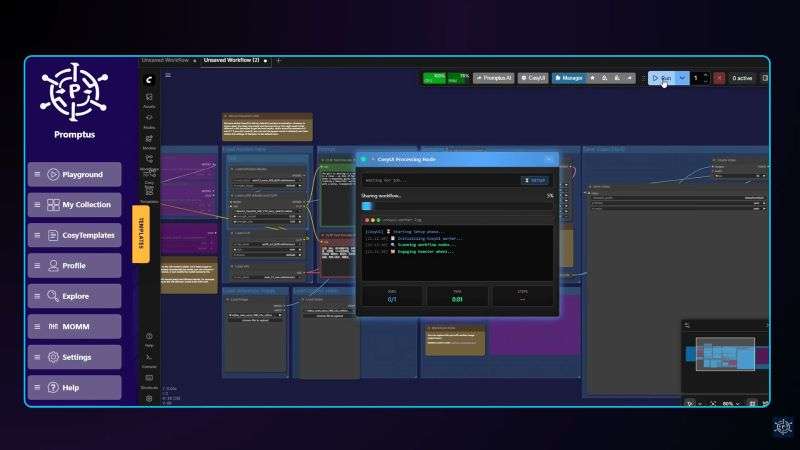
If you’re searching for a ComfyUI alternative on Reddit, you may come across Promptus. It combines different AI generation tools and compute options in one place. Also, Promptus integrates with ComfyUI, allowing you to use and customize existing ComfyUI workflows. With support for 100+ AI models, you can choose different models based on the type of content you want to create.
Key Features:
- Flexible Inputs: You can use text or audio to create your AI visuals.
- Content Gallery: Store, view, and share your AI images and videos through private or public collections on Promptus’ website.
- Quick Sharing: Share your AI images directly to Facebook, Instagram, and X.
- Its organized interface makes the platform easy to learn and navigate.
- Promptus offers workflow templates, so you can use existing setups instead of creating workflows manually.
- Allows you to generate a batch of images in one go, making the process faster and more efficient.
- Running newer AI models, such as Flux and large video models, requires a powerful graphics card.
- AI models, checkpoints, and nodes can take up a lot of storage space on your computer.
- Customer support can be inconsistent, with some issues taking time to resolve.
Platform: Windows, macOS, and Cloud.
Best For: Brand concept, product ads, marketing videos.
Price: Free trial available. Upgrade to paid plans for $7 and $29 per month, or get lifetime access for $49.
8. Magnific
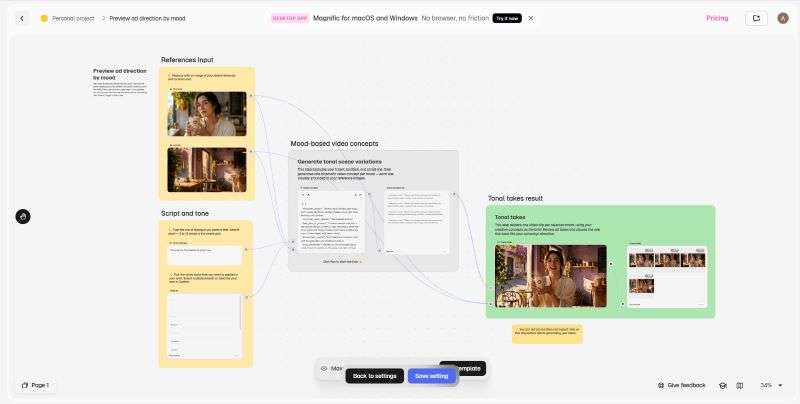
Next, Magnific is another ComfyUI alternative worth checking out. It offers a wide range of ready-made templates for different creative needs, from marketing materials to social media content. The platform is also supported by a variety of AI models.
Key Features:
- Generate & Upscale: Create images and videos, or upscale existing images with Magnific’s AI.
- Creative Assistant: Use the AI assistant to expand your ideas, create text, and modify prompts.
- Collaborative Creation: Invite teammates to your workspace, share feedback, and make changes together
- You can create up to 3 workflows with the free plan.
- Provides detailed guides that explain the tools, their functions, and how to use them.
- Personalizes the workflow based on your needs, including project goals and workspace preferences.
- Generation access can be restricted unexpectedly.
- Getting a good final result can take several tries.
- Complex workflows and models can take longer to run.
Platform: Online, Windows, macOS.
Best For: Product videos and marketing content.
Price: Free trial available. Paid plans range from €15 to €215 per month.
9. Flora
Flora is the last ComfyUI alternative on our list. It offers a visual canvas where you can use text and reference images as inputs. Then, you can combine image, video, and audio generation. Also, refine them in the same canvas.

Key Features:
- 50+ AI Models: Access 50+ AI models to create different types and styles of content.
- FAUNA AI Assistant: Brainstorm ideas, create prompts, and build multi-model workflows from a single request.
- Batch Generation: Run multiple generations at once.
- Maintain consistent colors and visual styles across multiple assets.
- Save your workflows and reuse them for future projects.
- Collaborate with your team in real time.
- It can take a while to learn where everything is and how the different tools work.
- Certain features may sometimes fail to load or work properly.
- Getting very specific results may take several rounds of prompting.
Platform: Online.
Best For: Creative concept and branding content.
Price: Free plan available. Paid plans start at $18 per month.
How to Choose the Right ComfyUI Alternative?
With so many ComfyUI alternatives available, choosing the right one depends on what you want to create. Here’s a quick guide to help you find the best fit for your needs.
| Your Need | Recommended Path |
|---|---|
| Storyboards, comics, and visual storytelling | Filmora.TV, VoooAI |
| Illustrations and creative artwork | SwarmUI, InvokeAI |
| Brand concepts and visual identity | Krea AI, Flora |
| Product photography and product visuals | Filmora.TV, Krea AI, Flora |
| Advertising and marketing content | Filmora.TV, Magnific, Flora |
| Short videos and social media content | SwarmUI, Wireflow |
| Cinematic videos and visual effects | Filmora.TV, VoooAI, SwarmUI |
| Architecture and interior visuals | Flora |
| 3D characters and assets | Filmora.TV, Krea AI, Promptus |
Conclusion
ComfyUI is a popular choice as an AI generator. However, the workflow can feel too technical and take time to learn. Fortunately, you have several ComfyUI alternatives to choose from.
For open-source options, SwarmUI, InvokeAI, and Promptus are worth considering. Meanwhile, VoooAI, Krea AI, Wireflow, Magnific, and Flora provide online options that run in the cloud.
Filmora.TV is a solid option to handle more of the process in one place. You can generate images and videos, put them together, arrange them into a finished video, and export the result directly. This makes the whole creative process more efficient.
FAQs
-
1. Is there any ComfyUI ReActor alternative?
Yes. SwarmUI is not a dedicated face-swapping tool. However, you can use its FaceTools extension to add ReActor to the interface. This lets you upload a face image and swap it into your generated image.
-
2. Which ComfyUI alternative is most similar in functionality?
SwarmUI is one of the closest alternatives to ComfyUI in terms of functionality. It keeps ComfyUI running in the background while making workflows easier to manage.
-
3. What is the easiest alternative to ComfyUI for beginners?
If you’re new to node-based AI workflows, Filmora.TV is a good place to start. It offers a simpler way to connect AI models and generation tools.
-
4. Can AMD GPU users use ComfyUI alternatives?
Yes. Most of these tools work online, so they can work as a ComfyUI alternative for AMD users. The main exceptions are SwarmUI and InvokeAI, which run locally and require specific AMD support.
-
5. How does Filmora.TV differ from traditional ComfyUI nodes?
Traditional ComfyUI workflows can involve many technical nodes and settings. With Filmora.TV, you can add prompts, choose the AI models, then connect them to build your workflow.
-
6. Can I export my AI canvas storyboards to video editors like Filmora?
Not exactly. You can export individual images or videos to Filmora, but not the full canvas as an editable project.