

Collaborate on Projects and Add Canvas Comments
Filmora.TV also lets team members collaborate directly on projects and keep track of revisions easily. You can work with shared project content, leave comments on the canvas, and reply to feedback without moving the discussion to another platform.
Comments are only available on Team Workspace, and not on Personal Workspace. When another team member is editing the project, Filmora.TV shows an indicator to let you know they are currently editing it.


Practice the steps in this guide directly in Filmora.TV.
How to Leave Comments on Filmora.TV Projects
-
Step 1 Open the Team Project
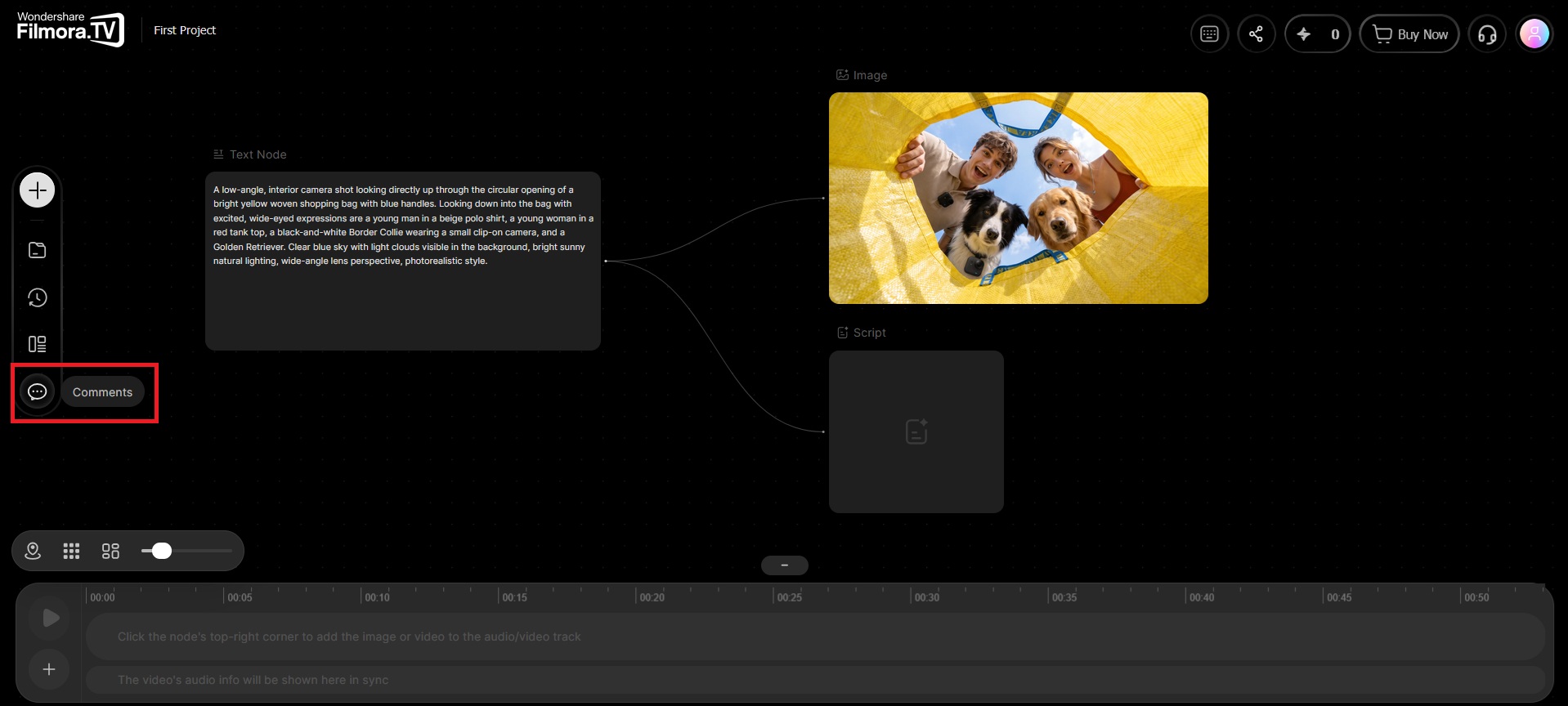
Open the project in your team workspace and select Comment from the left panel.
-
Step 2 Add a Comment
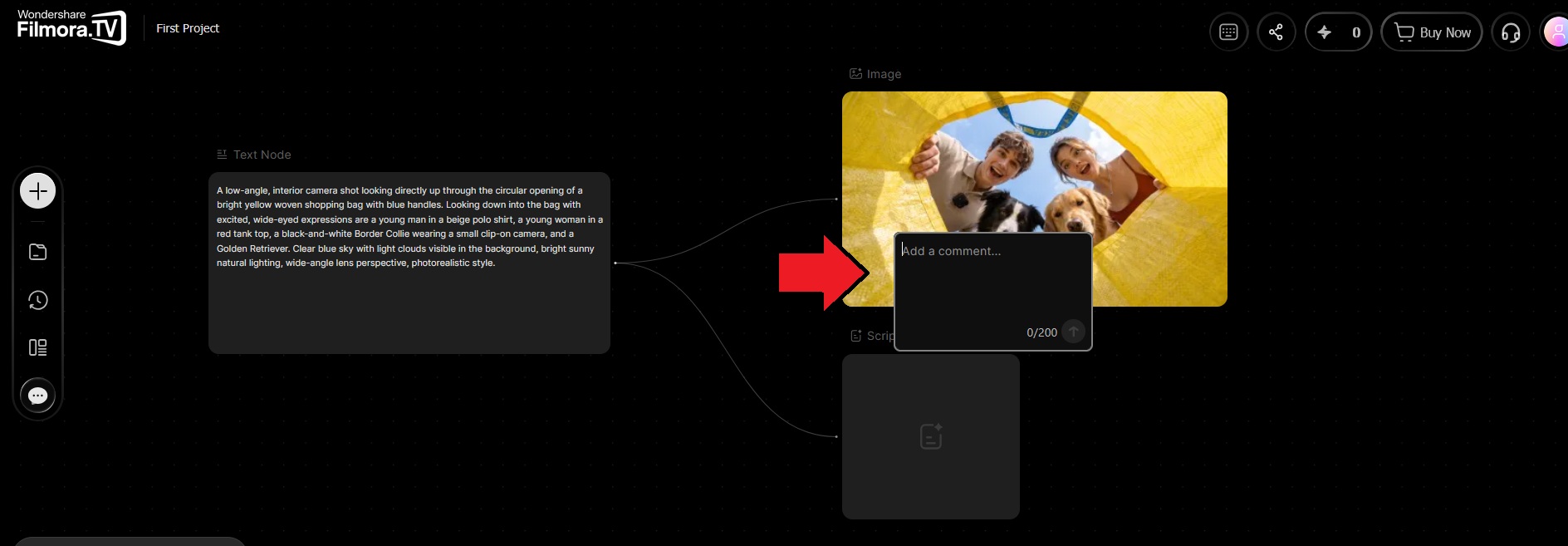
Place the comment marker on the area you want to comment on, and click to add a comment box. Type your feedback and click the arrow to post it. Each comment can contain up to 200 characters.
-
Step 3 Reply to a Comment
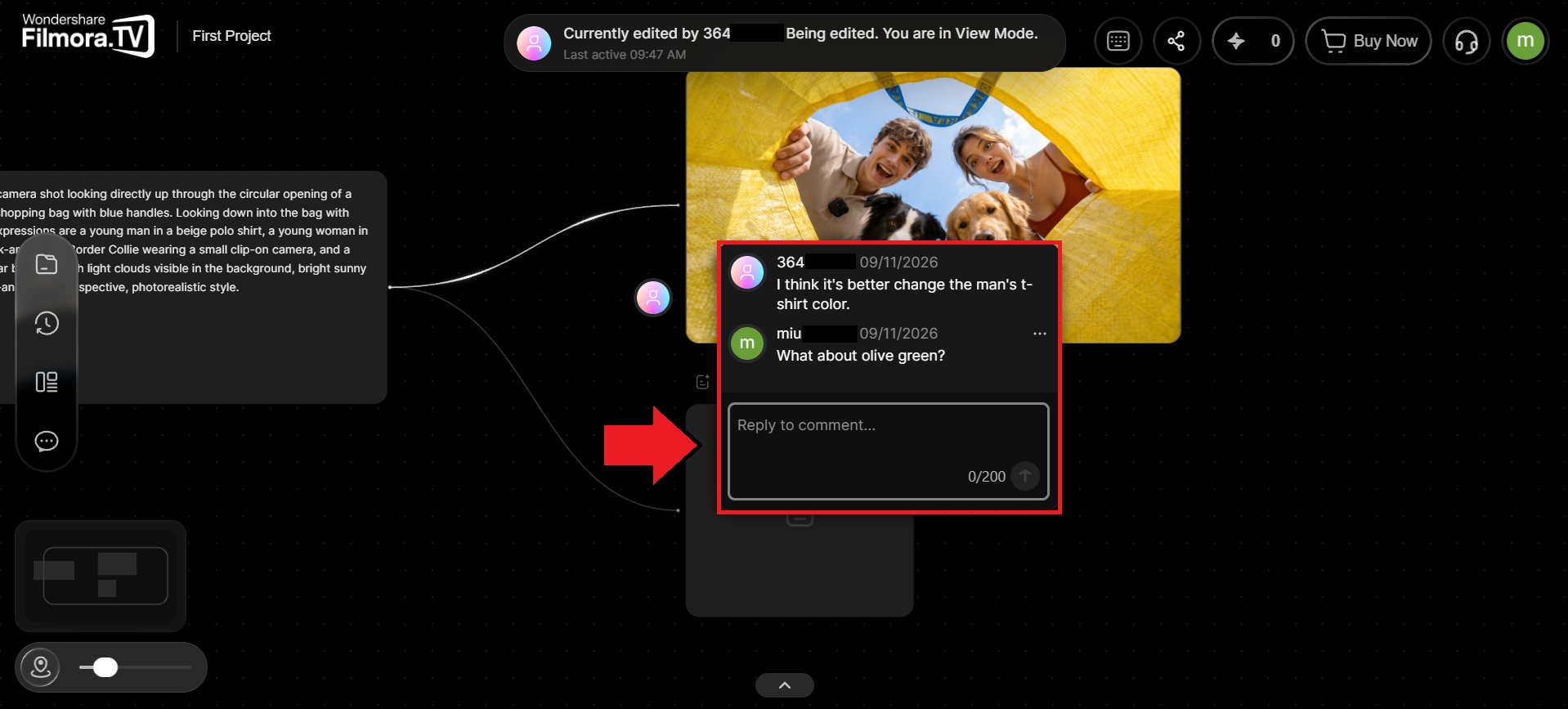
To reply to an existing comment, select the comment and enter your response in the reply box. Press the arrow to post your reply.
Was this guide helpful?