

Manage Team Roles, Permissions, and Credits
Filmora.TV supports three team roles: Owner, Admin, and Member. These roles help determine who can manage the team and access different team functions.
- Owner has full control over the team, including managing team settings, members, roles, and shared projects.
- Admin can help manage the team and its projects, with access to administrative functions assigned by the Owner.
- Member can access shared team projects and assets and collaborate with other team members, but has more limited management permissions.
Team members can also use credits from a shared team credit pool to generate AI content and access available resources for their collaborative projects.


Practice the steps in this guide directly in Filmora.TV.
How to Assign Roles in the Team Workspace
-
Step 1 Open the Team Settings
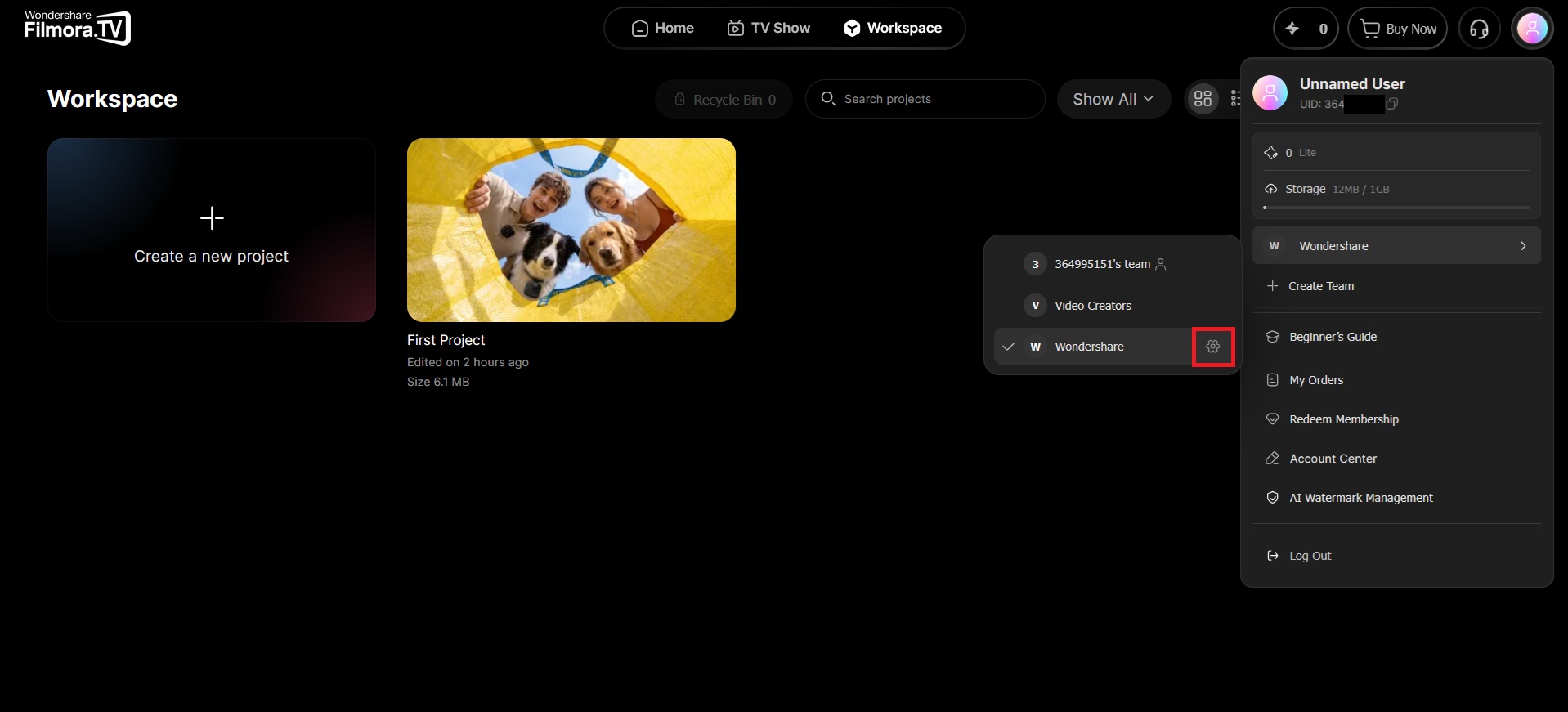
Click your Profile icon, select the team you want to manage, and click the gear icon next to the team name to open its settings. Make sure the members have joined the team.
-
Step 2 Assign Roles to Team Members
In Team Settings, you can view the information for each team member. Select the role for each member based on the level of access and management permissions they need.
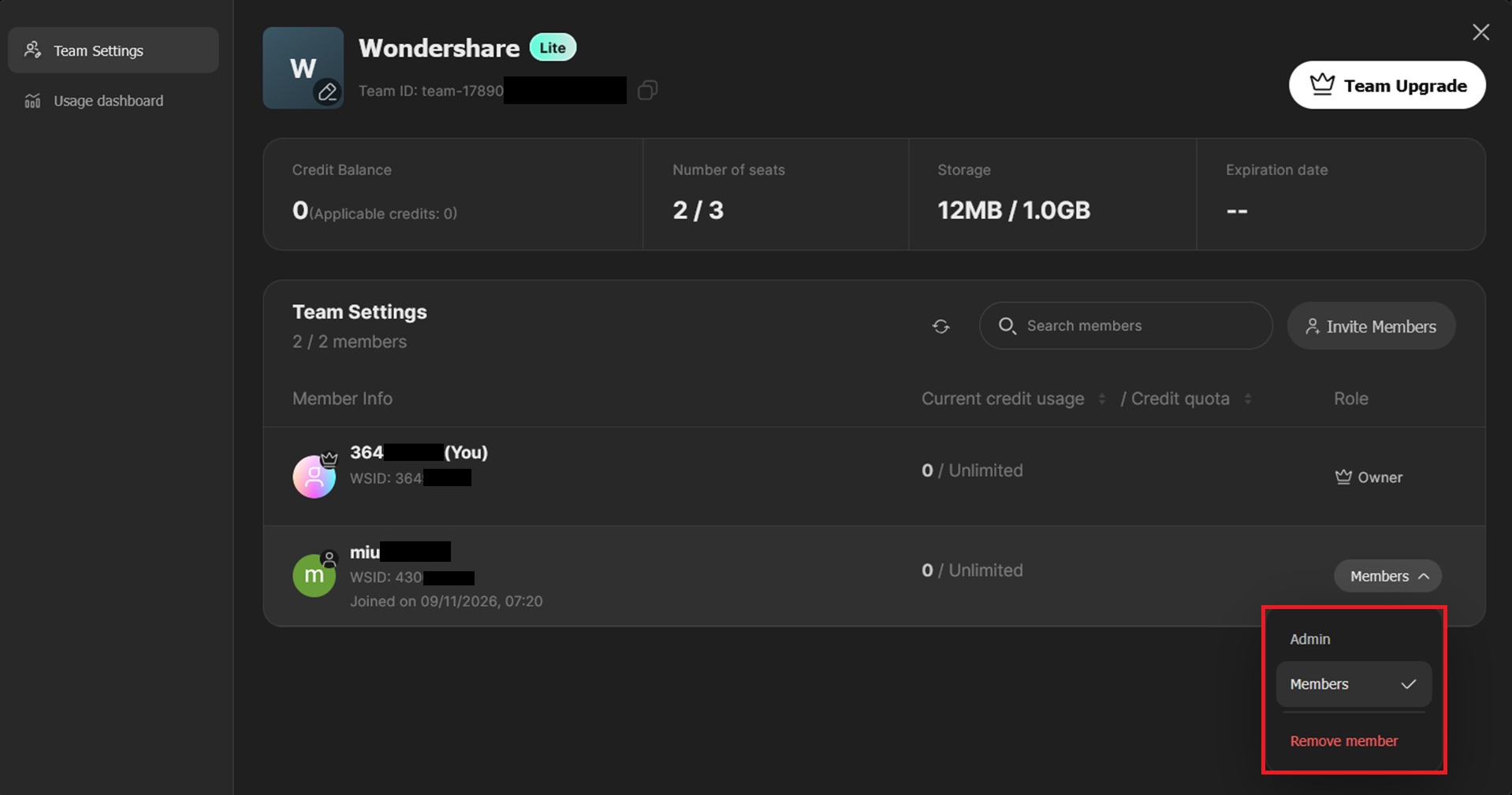
 Note: Only the Owner can assign or change team roles. Make sure you are signed in to the account that owns the team.
Review and Manage Team Credits
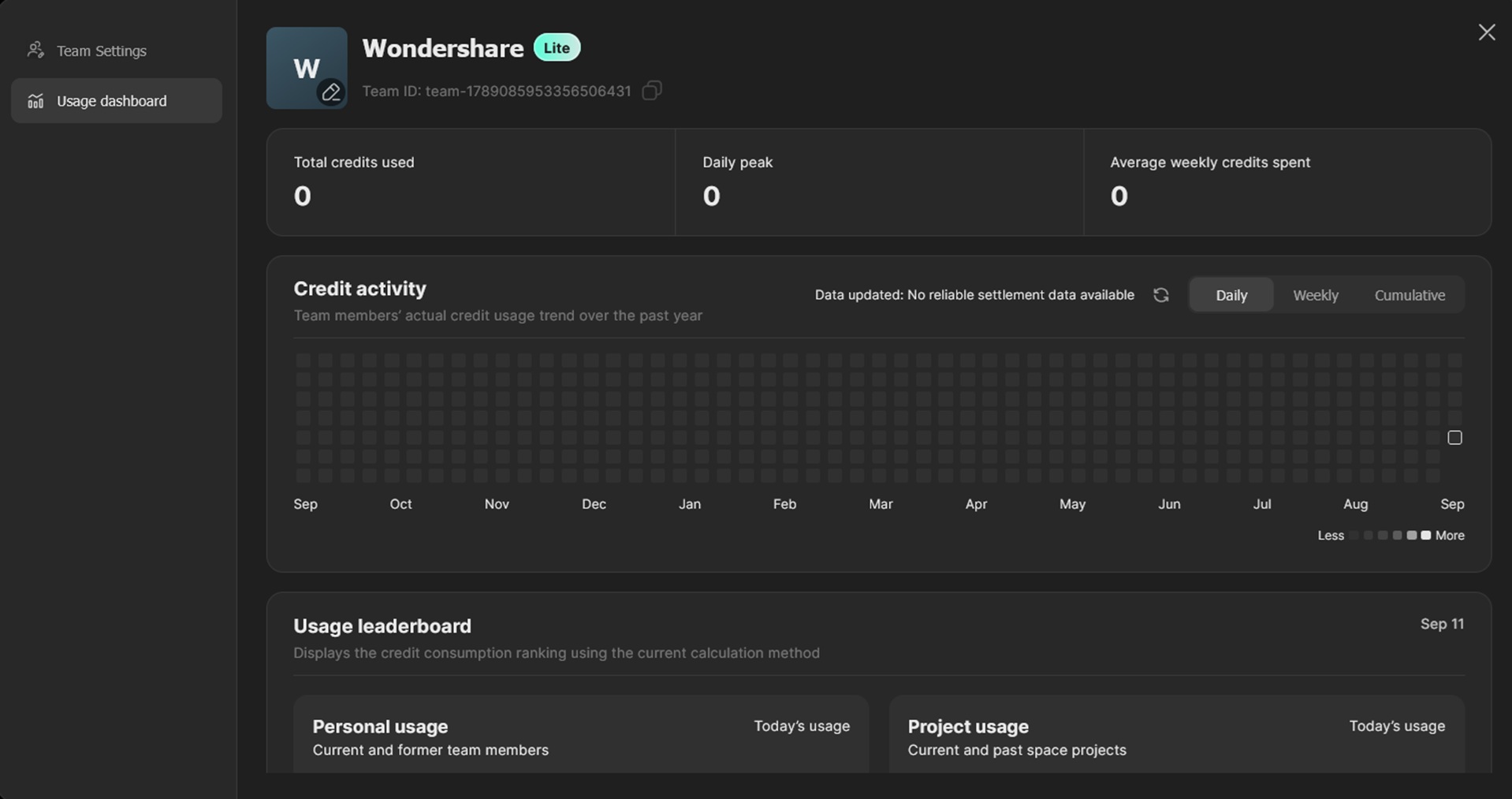
If your team needs more credits, you can purchase a team credit package in the same way you purchase a Filmora.TV subscription. Every credit spent by team members is deducted from the shared team credit pool, and you can review the usage in Team Settings to keep track of how your team is using its credits.
FAQ
-
1. How are AI credits distributed and refreshed?
Subscription-included AI credits are usually granted and refreshed on the subscription cycle. The current policy is a monthly refresh, and unused subscription credits from the previous cycle do not roll over.
The validity period of AI Credit packs follows what is shown on the purchase page, currently one year.
We recommend checking the plan details before purchase and arranging usage accordingly. -
2. Can I upgrade my subscription after using up the included AI credits?
If the AI credits included in your subscription have been used up, you can purchase an additional AI Credit pack based on the options currently available in the product.
If you already purchased a subscription but want to move to a higher-tier plan, contact support to confirm your current order status, used benefits, and available options. Whether changes, price differences, or refunds are supported depends on your order details and the subscription policy at the time. -
3. Where can I view account, membership benefits, and Cloud Space information?
You can go to the profile area in the upper-right corner of the page to view your current account information, membership benefits, Cloud Space usage, and related settings.
If you have purchased a membership but the benefits do not appear, first confirm that the account you are signed in with matches the one used for the purchase, then refresh the page and check again.
Was this guide helpful?