
TV Shows: A Hub for Browsing & Sharing Video Projects
TV Shows is a library showcasing completed projects made by Filmora.TV's users. You can explore these projects for creative inspiration, view examples of what creators have made with Filmora.TV, duplicate the project workflow into your own project, and share your own work to reach a wider audience within the Filmora.TV community.


Practice each step from this guide directly in Filmora.TV.
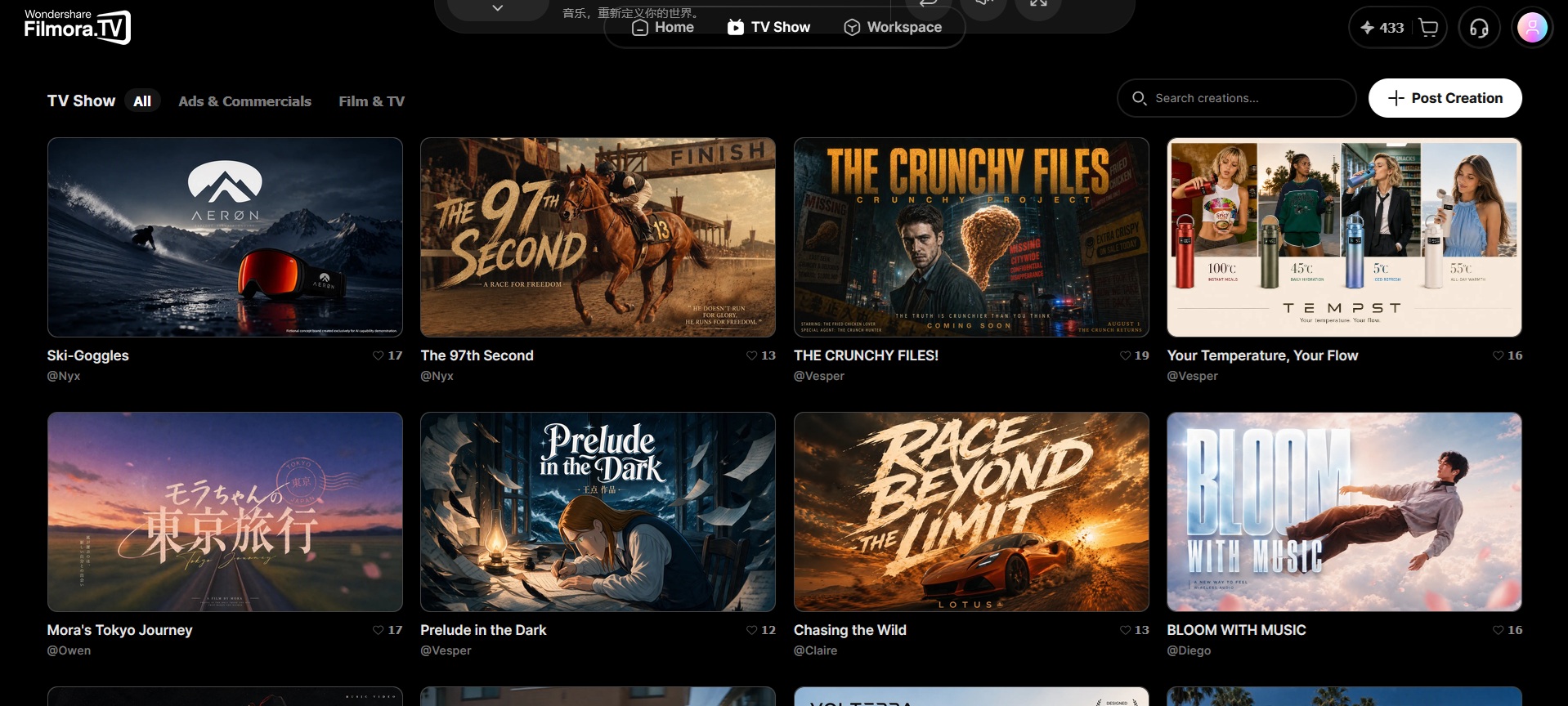
1. Browse Public Projects
When you open TV Shows, you can browse the available public projects based on categories. Each project provides a breakdown of how a creator organized their assets and developed their workflow. You can also upload your creation to share your work with the Filmora.TV community and reach a wider audience.
2. Duplicate Project
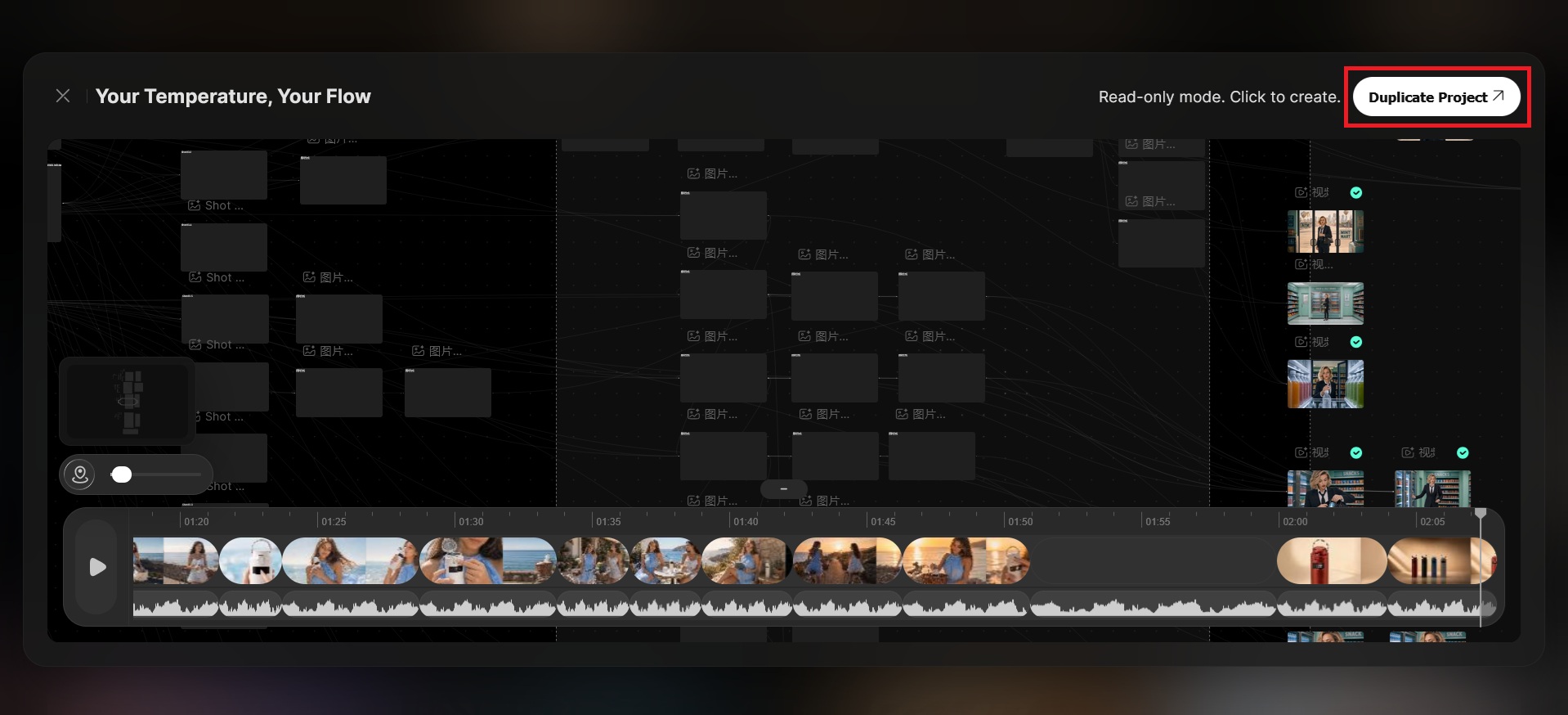
Not only can you browse public projects for inspiration, but you can also duplicate their workflow into your own project. Then, you can edit the duplicated project, replace assets, adjust the workflow, and develop it according to your own vision.
3. Share Your Work with the Community
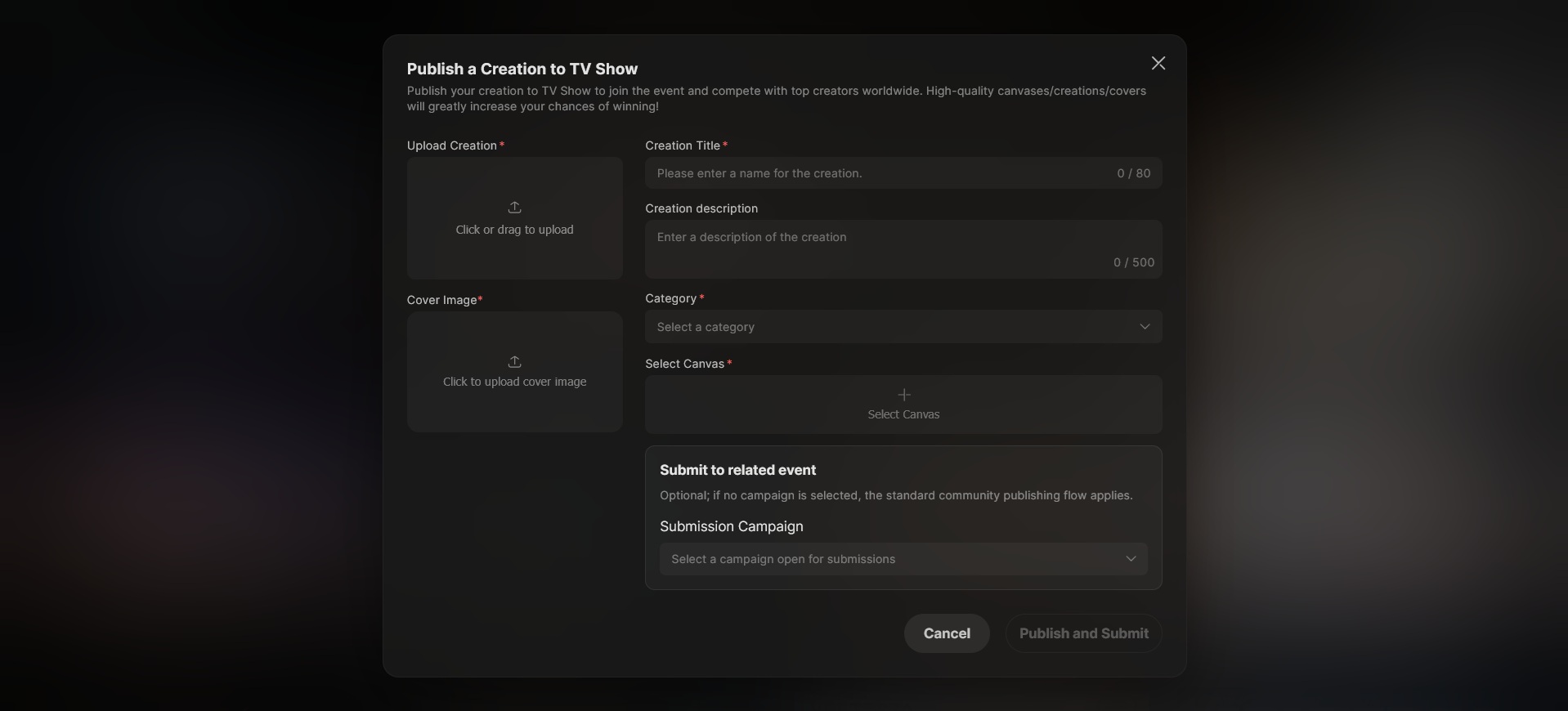
You can also publish your project to TV Shows for the Filmora.TV community to see. Add a title, description, and category (film & TV, animations, short drama, etc.) so other creators can find it, then share the workflow behind your project to help others learn from your process. You can also join ongoing events to showcase your work and get a chance to be featured.
FAQs
-
1. What is the difference between public templates and personal templates?
Public templates include official templates provided by the platform as well as UGC templates shared by community creators, and all users can view and use them. Personal templates are created by the user, visible and usable only to the creator, and the copyright belongs to the creator as the user's personal asset. -
2. Can I save my node structure as a template and publish it to the community?
Yes. You can first select the nodes you want to reuse and group them, then save the group as a personal template. When saving, you can set template information and choose whether to publish it to the community if the product supports it.
Before publishing, make sure the materials and content in the template comply with platform rules and the relevant authorization requirements. -
3. Can community works be used commercially, remixed, or used in client projects?
If the content is created by you and your input materials are lawful, compliant, free of copyright risk, and in line with the Terms of Service, you may use it for commercial creation.
If third-party copyrights, likenesses, trademarks, or branded materials are involved, make sure you have obtained the necessary permissions.
Was this guide helpful?