

Use Templates to Build Videos Faster
Filmora.TV offers templates for those who want to speed up the video creation process. If you find a template that matches your product and video style, you can use it as a starting point and build from there. The template library is available directly from the canvas workspace.

Try Filmora.TV

AI Creative Studio
Follow Along in Your Workspace
Practice each step from this guide directly in Filmora.TV.
How to Use Filmora.TV Templates
-
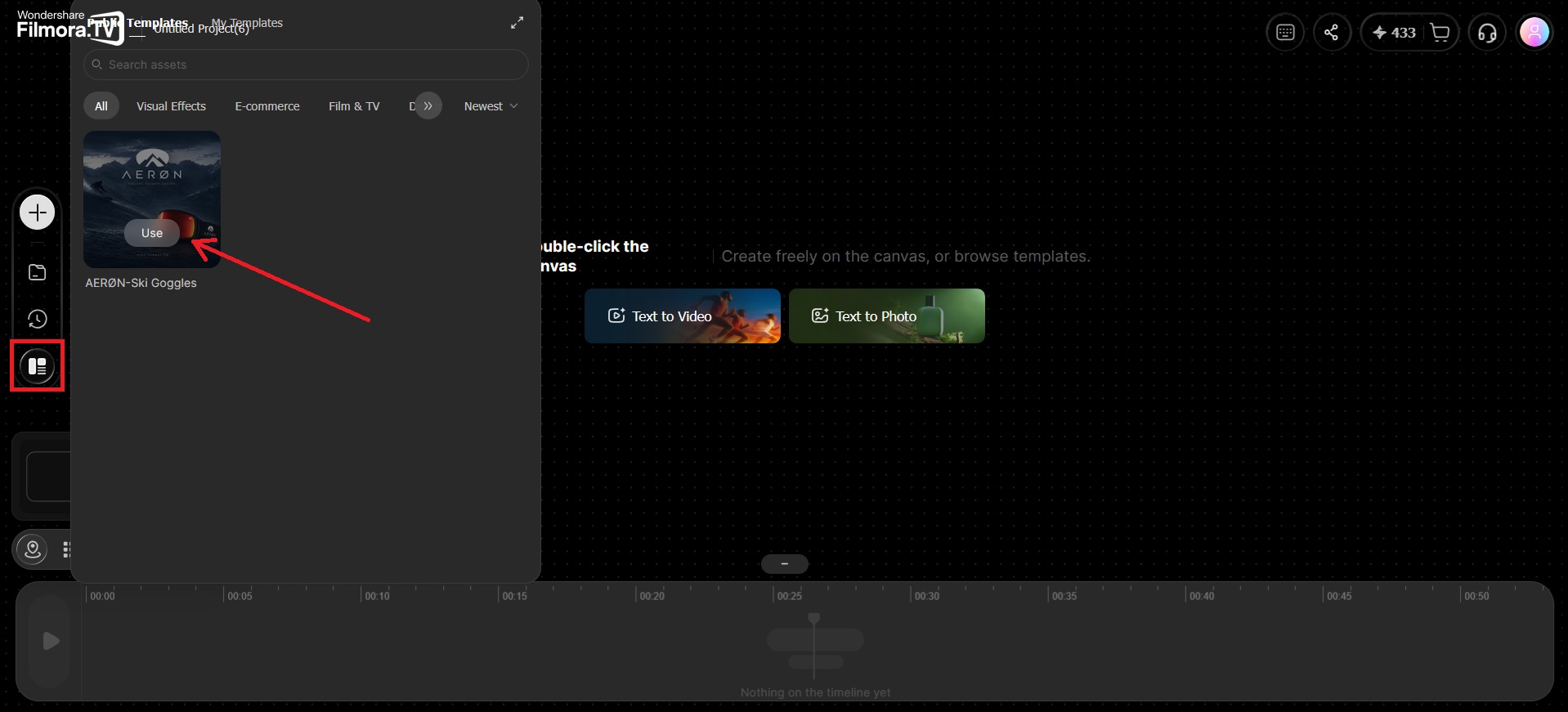
Step 1 Select Templates from the Left Panel Menu
Open Templates from the left-side panel. Click "Use" to start using the template.
-
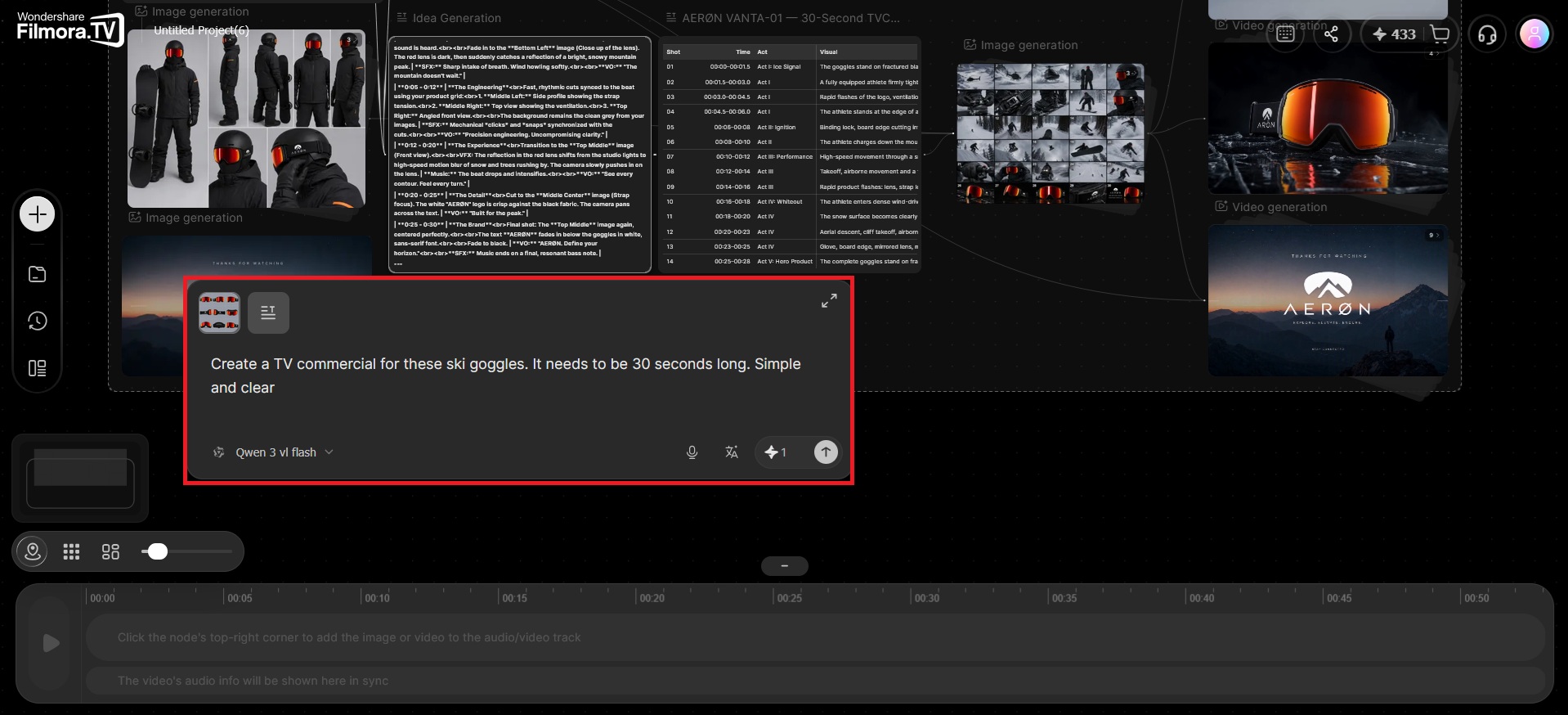
Step 2 Edit and Refine the Template
Edit the existing content or enter a new instruction to change the generated result based on your idea. Select any node to view its prompt and creative direction, then modify them to refine the concept, change specific details, or generate a completely different version.
FAQs
-
1. What is the difference between public templates and personal templates?
Public templates include official templates provided by the platform as well as UGC templates shared by community creators, and all users can view and use them. Personal templates are created by the user, visible and usable only to the creator, and the copyright belongs to the creator as the user's personal asset. -
2. Can I batch-download a template group or grouped content to my computer?
Yes. After selecting a template group or group, use the Batch Download button on the top toolbar to package and download the contents of the group locally. This is useful for saving a set of storyboards, reference images, or generated results together. -
3. Can I ungroup a template group and edit it separately?
Yes. After a template is added to the canvas, it appears as a group. You can color-label, arrange, or batch download the group, and you can also choose Ungroup to split the nodes inside into independent nodes for separate moving, editing, or generation. -
4. Can I save my node structure as a template and publish it to the community?
Yes. You can first select the nodes you want to reuse and group them, then save the group as a personal template. When saving, you can set template information and choose whether to publish it to the community if the product supports it.
Before publishing, make sure the materials and content in the template comply with platform rules and the relevant authorization requirements.
Was this guide helpful?